GetAccept is a digital sales room with strong buyer engagement features. For Salesforce, its native integration is not available on the eSign plan, is an add-on on Professional and is included only on Enterprise, and Professional needs at least five users on an annual contract. SalesSign puts the proposal builder, eSignatures, engagement analytics and a native Salesforce integration in every plan, from £19 per user per month.
A capable digital sales room. Salesforce, pricing tables and payments sit on Professional add-ons or Enterprise.
Choose SalesSign if your team sells from Salesforce and wants proposals, quotes, contracts, signatures and engagement data on the Opportunity, with the Salesforce integration, pricing tables and analytics on every plan and no seat minimum or annual contract.
Stay with GetAccept if deal rooms, mutual action plans and personalised video are central to how you sell, especially for long, multi-stakeholder enterprise deals. GetAccept built its product around those, and they are genuine strengths that SalesSign does not try to copy.
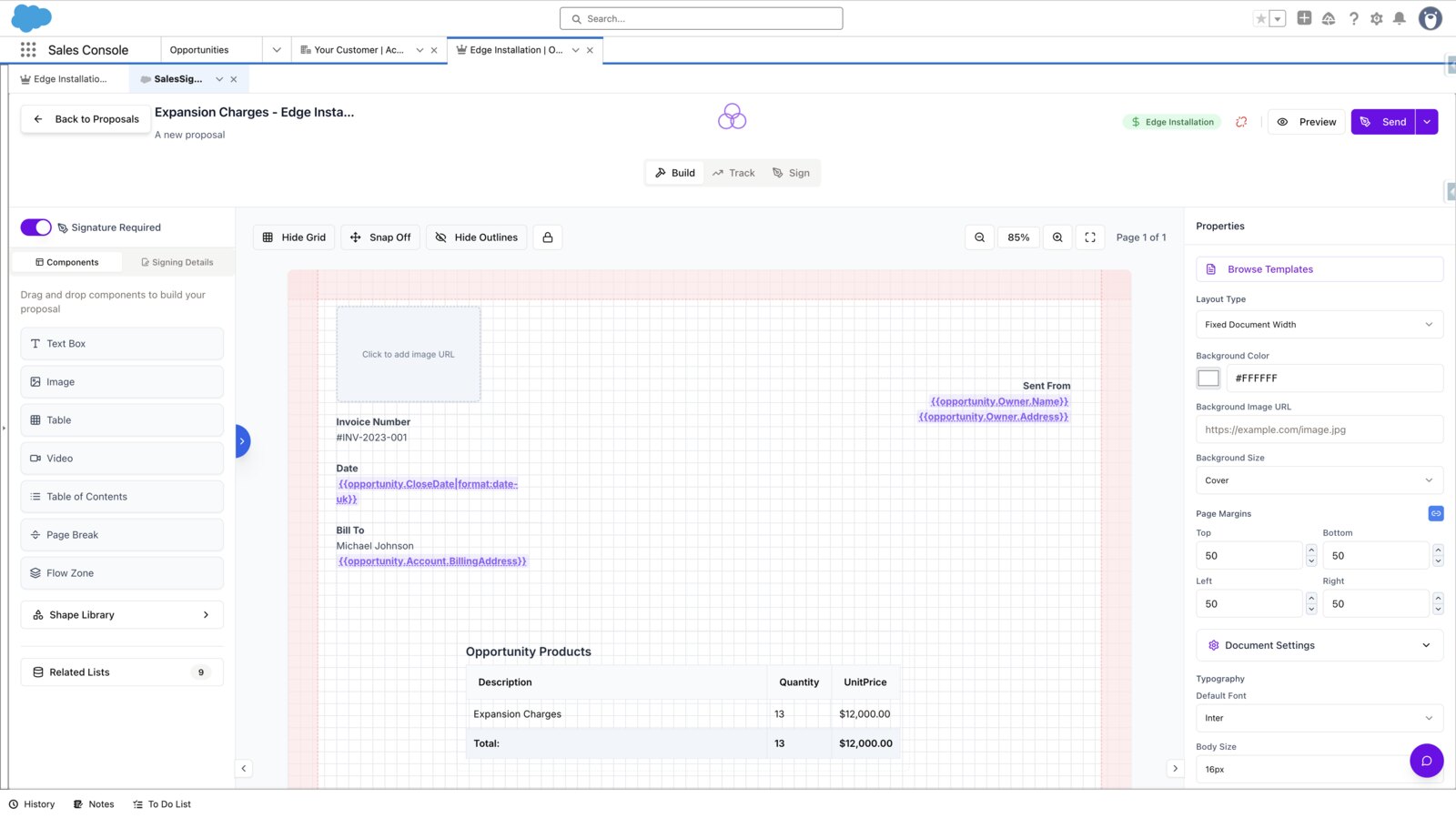
GetAccept’s pricing page lists its native Salesforce integration as unavailable on eSign, an add-on on Professional and included on Enterprise. SalesSign’s builder opens inside Salesforce and the integration is included on every plan.
On GetAccept, document tracking and insights, pricing tables and deal rooms start at Professional, with CPQ and conditional content on Enterprise or as an add-on. SalesSign includes pricing tables, Salesforce merge fields and page-level engagement on every plan.
GetAccept Professional has a five-user minimum and is billed annually. SalesSign is billed monthly or annually from one user, with two months free on annual billing, and every plan runs on a 14-day free trial first.
Where each feature sits in the two products, including which GetAccept plan you need to get it.
GetAccept plan details taken from getaccept.com/pricing and GetAccept’s AppExchange listing on 30 September 2026. GetAccept also prices in pounds (eSign £20, Professional £45) and euros. SalesSign prices are shown in your currency. Always check the latest with the vendor.
GetAccept publishes prices for two of its three plans. The native Salesforce integration is an add-on on Professional and is included on Enterprise.
| GetAccept plan | Price | Seats and billing | Salesforce integration |
|---|---|---|---|
| eSign | $25 per user per month (£20, €25) | Up to 5 users; monthly or annual | Not available |
| Professional | $49 per user per month (£45, €49) | Minimum 5 users; annual | Add-on |
| Enterprise | Contact GetAccept | Annual | Included |
For a ten-person team that needs its documents connected to Salesforce, here is how the list prices add up over a year.
SalesSign’s builder runs inside Salesforce. Reps pick a template, merge fields fill from the Opportunity, Account, Contacts, Quotes and custom objects, and the proposal goes out from the same screen. Signed PDFs land on the record automatically, with the audit trail beside them.

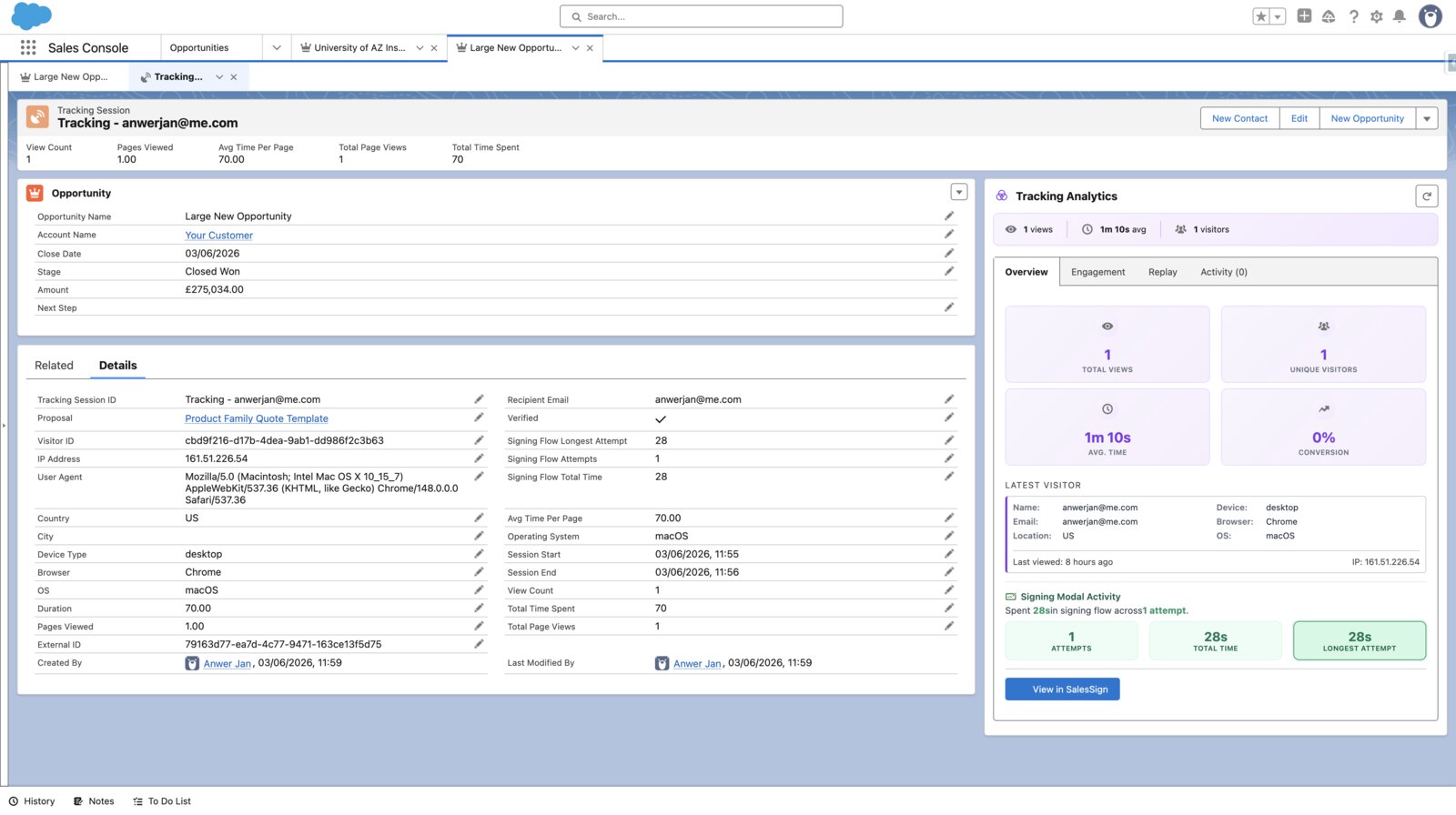
Every viewer, every page, every minute. SalesSign records who opened the proposal, how long they spent on each page and where they stalled, then surfaces it on the Salesforce record and in reports. It is included on every plan.

Sequential or parallel routing, automatic reminders, inline validation and a mobile-first signing page carrying your brand. Each signature is timestamped with IP and recipient detail, and the completed audit trail is stored against the Salesforce record alongside the signed PDF.

Most teams run the two side by side for one sales cycle, then move across at the GetAccept renewal.
Professional and Enterprise are annual and cover a 12-month period. Note the renewal date and notice period, and plan to switch a few weeks before it.
List the documents sent in the last 90 days, the Salesforce fields they merge and the pricing tables they use. Most teams find five to ten templates do nearly all the work.
Proposals and quotes rebuild natively in the drag-and-drop builder with pricing tables and merge fields. For contracts you cannot change, upload the existing PDF and overlay the signature fields.
Install the SalesSign package, authorise the connection and map merge fields to the Opportunity, Account, Contact, Opportunity Products and custom objects.
Start with the 14-day free trial and its five envelopes, then move a pilot team onto a plan. Keep GetAccept for documents already out for signature and send everything new from SalesSign.
Download completed documents from GetAccept and keep them on the relevant Salesforce records, so the history stays in the CRM. Then cancel at renewal.
These are the other proposal-first tools on most shortlists. The question for a Salesforce team is the same each time: where does the document get built, and what does Salesforce cost on top?
PandaDoc is a broad document workspace; its Salesforce integration is a paid add-on on annual Business and Enterprise plans. See how SalesSign compares with PandaDoc.
Proposify focuses on proposal design and approvals, with the CRM connected rather than built in. See how SalesSign compares with Proposify.
Qwilr builds interactive web proposals; like GetAccept, it sits beside Salesforce rather than inside it. See how SalesSign compares with Qwilr.
GetAccept lists eSign at $25 per user per month for up to five users, billed monthly or annually, and Professional at $49 per user per month with a five-user minimum on annual billing. Enterprise is priced on request. In pounds the plans are £20 and £45.
No. GetAccept’s pricing page shows the native Salesforce integration as unavailable on eSign, an add-on on Professional and included on Enterprise. SalesSign includes its Salesforce integration on every plan.
Yes, for teams that want documents, signatures and engagement data built and tracked inside Salesforce. Teams that rely on GetAccept deal rooms, mutual action plans and personalised video should weigh those, because SalesSign does not offer them.
No. SalesSign focuses on the documents themselves: building, sending, tracking and signing them from the Salesforce record, with page-level engagement, session replay and Sign & Pay. If a deal room is your main buying experience, GetAccept is built for that.
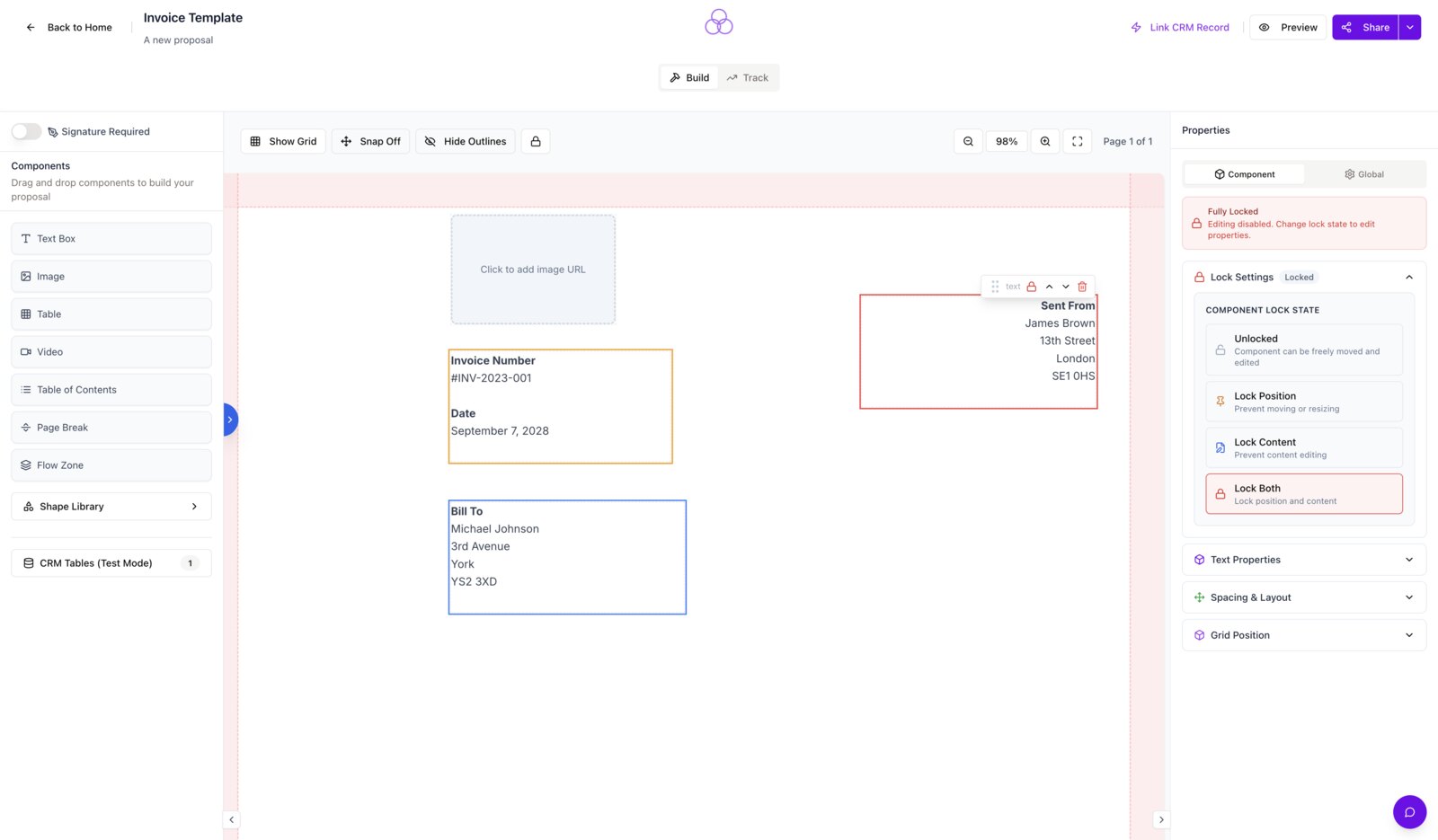
Yes, on every plan. Pricing tables pull from Opportunity products, Quotes and custom objects through Salesforce merge fields, and locked template sections stop reps editing prices they should not.
There is no one-click import. Proposals and quotes are rebuilt in the SalesSign builder, which most teams do for their top five to ten templates in a few hours, and fixed-format contracts can be uploaded as PDFs with signature fields overlaid.
Yes, on the SalesSign Max plan. Sign & Pay connects your own Stripe account so a customer pays a deposit or the full amount at signature, and the payment is written to a Transaction record in Salesforce.
Book a 20-minute live demo on a use case that matches how your team sells today, or start a 14-day trial and send a real proposal from Salesforce.
Every plan includes the builder, Salesforce sync, analytics and e-signature. The only differences are how many envelopes are included and whether you need payments or forms.