

Accurate quotes in minutes — signed in minutes more.
Salesforce quote generation from live Opportunity data. SalesSign generates quotes and order forms with line items, taxes, discounts and multi-currency pulled directly from Salesforce. Buyers sign on any device and the signed order form is back on the Opportunity instantly.
Fast, accurate quotes that pull live data from Salesforce.
Why teams choose SalesSign for Salesforce quote generation.
Salesforce CPQ-friendly
Pull line items from standard Salesforce, Salesforce CPQ or any custom quoting solution. SalesSign meets your CPQ where it is.
Buyer-friendly format
Quotes render as polished, on-brand documents — not bare PDF tables — so buyers can actually read and react.
Signed and synced in one step
When a buyer signs the order form, the signed PDF, accepted line items and signing metadata are written back to Salesforce automatically.
What you get for quotes & order forms.
Everything you need to send, sign and track — included on every plan.
Live line items
Quote line items pull live from Opportunity Products, Salesforce CPQ or custom objects, with quantity and discount controls.
Multi-currency
Render quotes in the customer’s currency, with automatic conversion based on Salesforce currency settings.
Tax & discount logic
Configurable tax lines, percentage and fixed discounts, and total calculations — all merged at send-time.
Order form templates
Pre-built order form templates with terms, signing blocks and total-by-total breakdowns.
A closer look at SalesSign for quotes & order forms.
Bring your own quoting engine
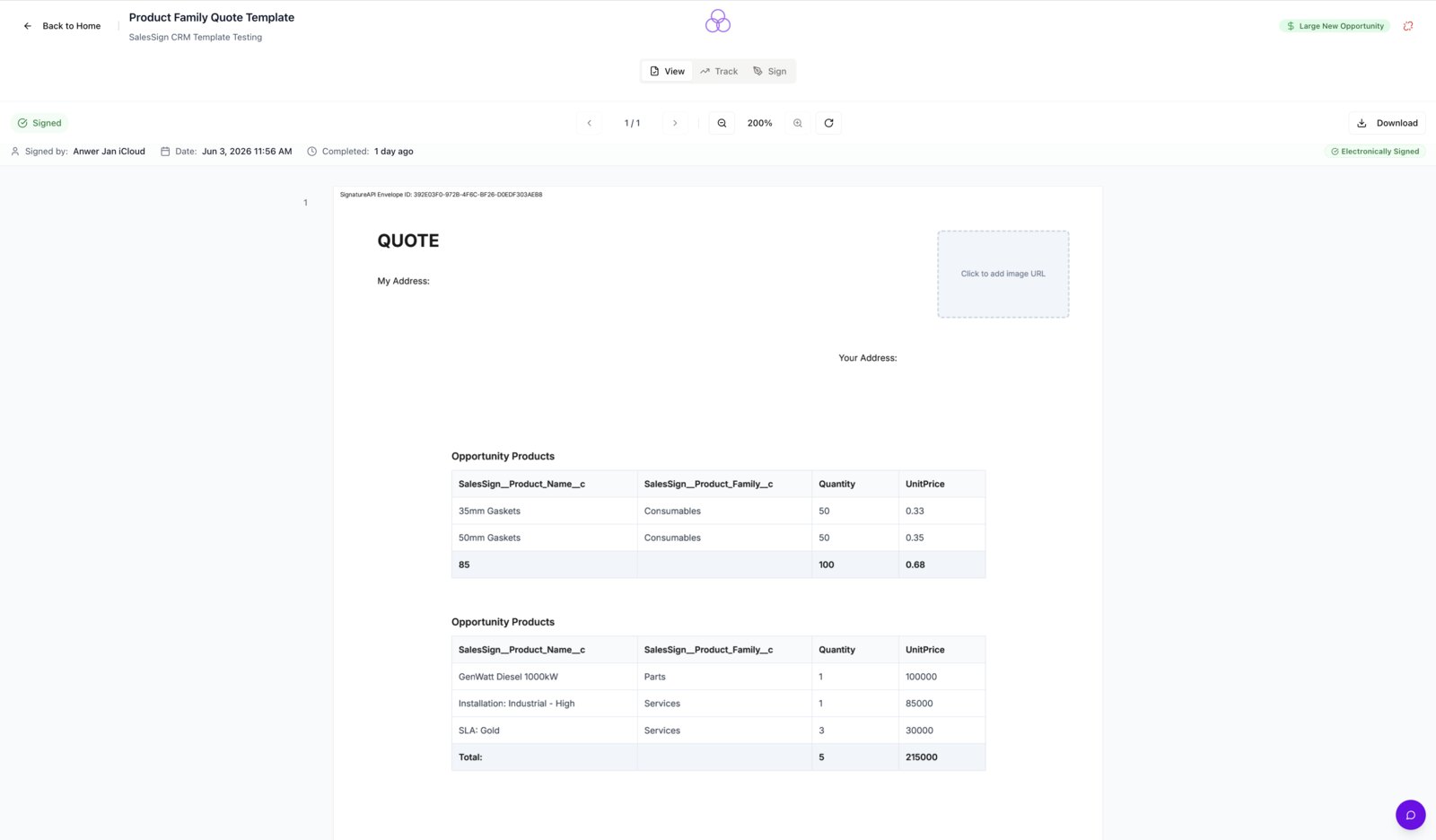
SalesSign works with standard Salesforce Products, Salesforce CPQ and any custom quoting solution. The output is always a polished, signable order form.
Sign once, sync everywhere
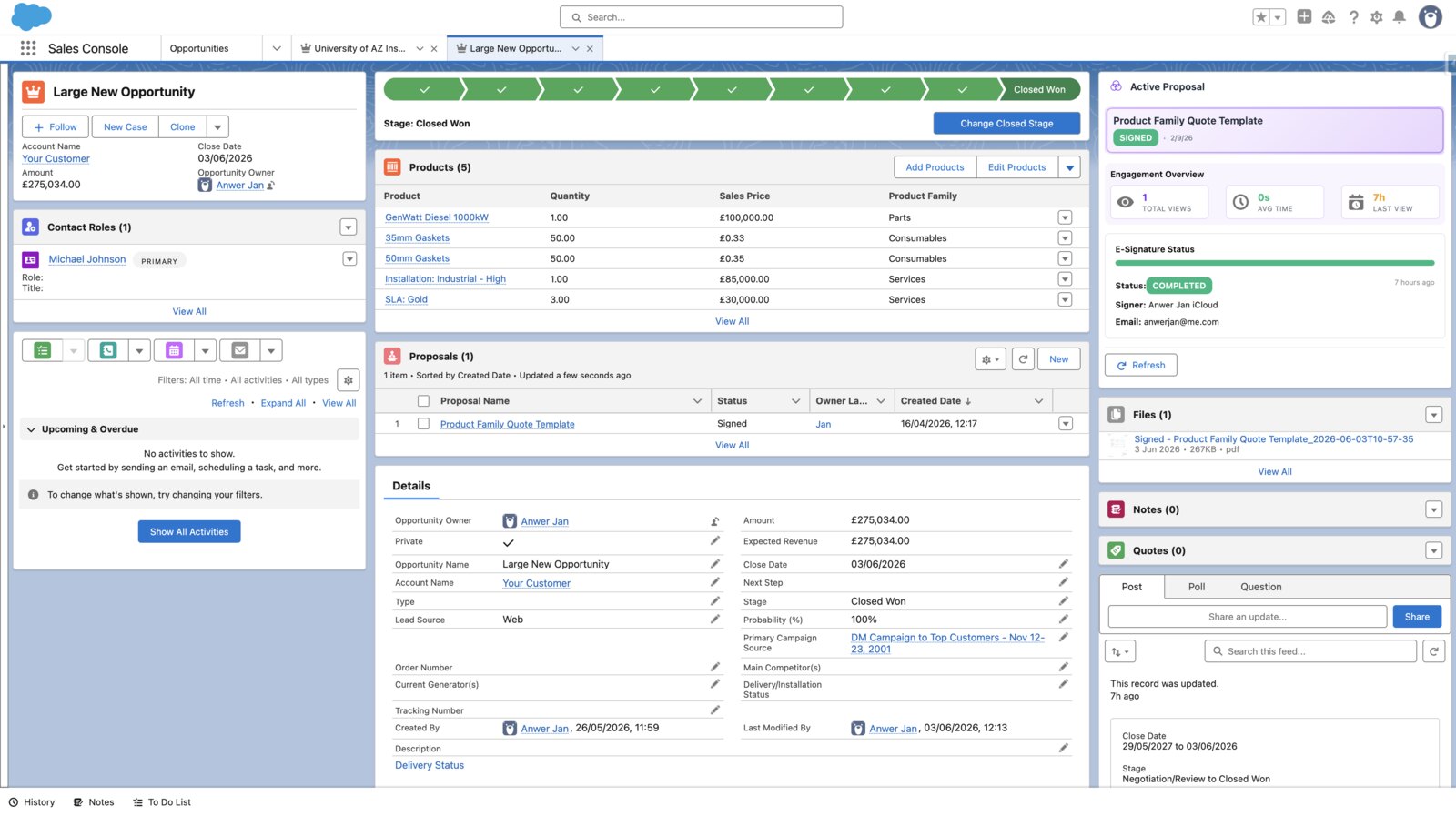
When the buyer signs, the order form is automatically attached to the Opportunity, line items are confirmed and Flow can post the deal to your billing system.
No more re-quoting because of a typo
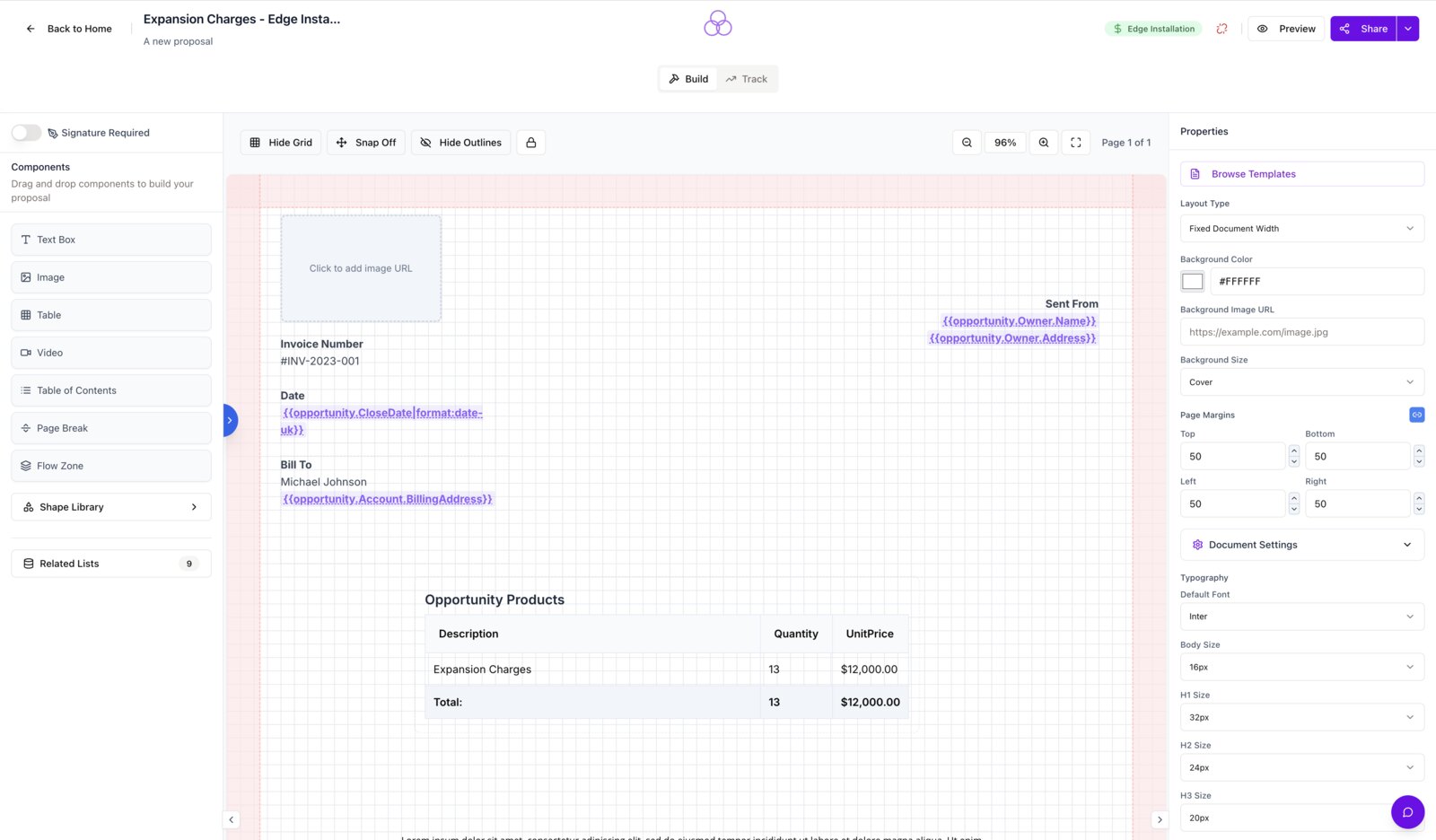
Merge fields are pulled at send-time from Salesforce, so there’s no manual line-item entry and no risk of pricing drift between Salesforce and the quote.
Frequently asked questions.
Does SalesSign work with Salesforce CPQ?
Yes. Line items, prices and discounts can pull directly from Salesforce CPQ or from standard Opportunity Products.
Can quotes be sent in different currencies?
Yes. Multi-currency is supported and pricing renders in the customer’s currency based on Salesforce settings.
Are signed order forms court-admissible?
Yes. Every signature is captured with a tamper-evident audit trail, IP, timestamp and identity verification.
Can buyers choose options on a quote?
Yes. Interactive pricing tables let buyers toggle options and quantities, with the signed PDF capturing exactly what was accepted.
Ready to see SalesSign for quotes & order forms?
Book a 20-minute live demo on a use case that matches how your team sells today. Native, embedded, end-to-end.