PandaDoc is a capable all-round document tool. But if your reps sell from Salesforce, you need its Business plan on an annual contract, the Salesforce add-on on top, and your team still edits documents in a separate app. SalesSign puts the proposal builder, eSignatures, engagement analytics and a native Salesforce integration in every plan, from £19 per user per month.
A strong generalist. Salesforce and full analytics sit on higher tiers and add-ons, and editing happens outside your CRM.
Choose SalesSign if Salesforce is where your team sells and you want proposals, quotes, contracts, signatures and engagement data living on the Opportunity, without an add-on, an annual contract or a second application to switch into. Every plan includes the Salesforce integration, analytics and eSignatures.
Stay with PandaDoc if you need a general-purpose document workspace for teams that do not work in a CRM, such as HR or legal, or if you rely on its notary, contract repository or broader integration marketplace. Those are real strengths, and they are not what SalesSign is built for.
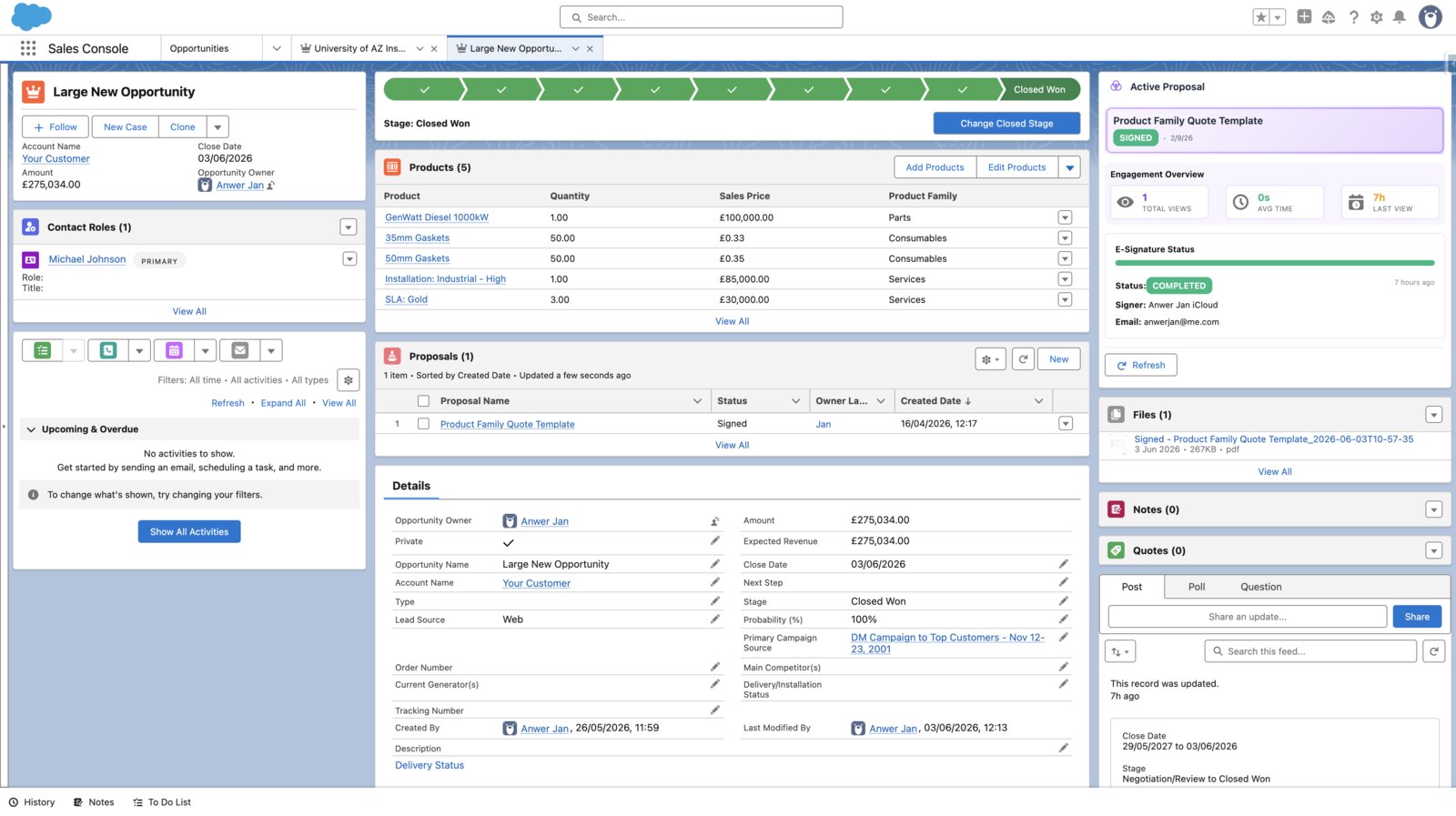
PandaDoc’s Salesforce integration is a paid add-on on its Business Annual and Enterprise Annual plans, and documents are edited in PandaDoc’s own app. SalesSign’s builder opens inside Salesforce, syncs both ways in real time, and is included on every plan. See how the PandaDoc integration works.
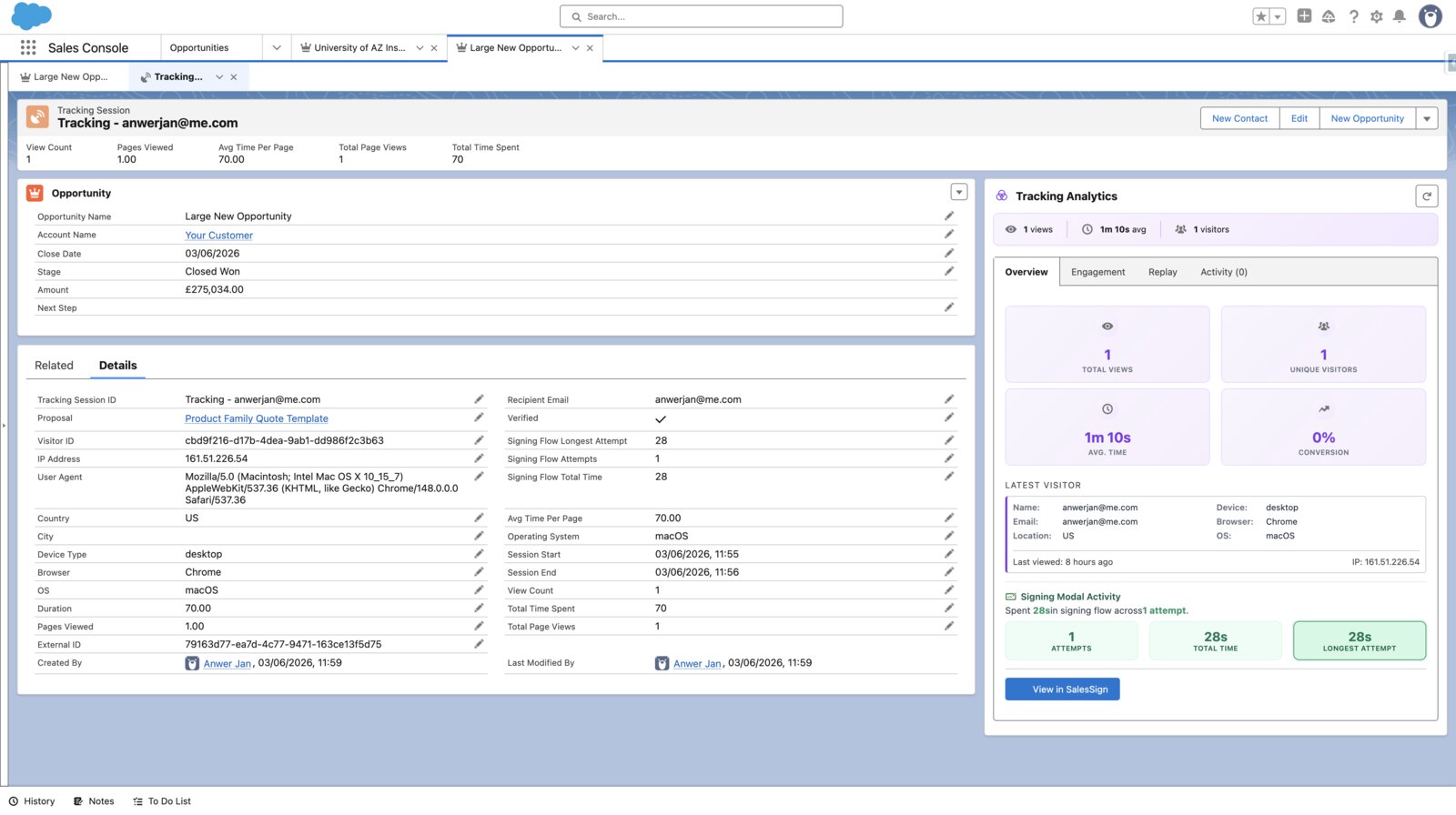
PandaDoc’s Starter plan has basic tracking; full document analytics arrive on Business. SalesSign includes page-level time, per-recipient engagement and session replay on every plan, and writes it back to the Salesforce record so reps know which deals are live.
PandaDoc’s headline $19 and $49 prices need annual billing; month to month it is $35 and $65 per user. SalesSign is £19, £29 or £49 per user, billed monthly, with the same features shown on the pricing page for everyone. No Enterprise quote to unlock SSO or the CRM.
Where each feature sits in the two products, including which PandaDoc plan you need to get it.
PandaDoc plan details taken from pandadoc.com and support.pandadoc.com on 10 September 2026. PandaDoc prices are in US dollars, SalesSign in pounds sterling. Always check the latest with the vendor.
Take a ten-person sales team that needs its documents connected to Salesforce. Here is what the list prices add up to over a year.
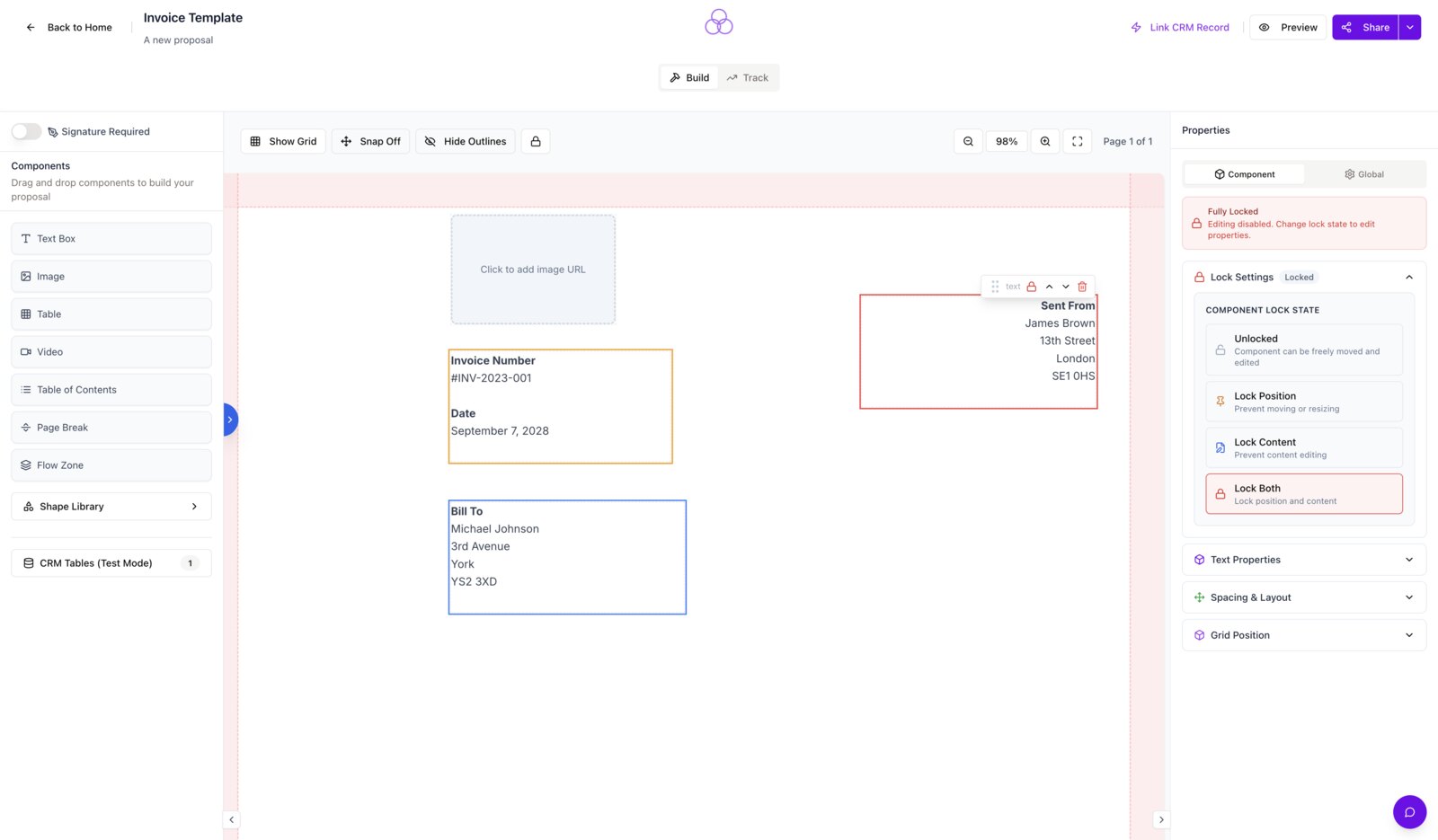
PandaDoc adds a panel to the Salesforce record, then opens its own application to edit. SalesSign’s builder runs inside Salesforce. Reps pick a template, merge fields fill from the Opportunity, Account, Contacts, Quotes and custom objects, and the proposal goes out from the same screen. Signed PDFs land on the record automatically.

Every viewer, every page, every minute. SalesSign records who opened the proposal, how long they spent on each page and where they stalled, then surfaces it on the Salesforce record and in reports. It is included on every plan, not held back for a higher tier.

Sequential or parallel routing, automatic reminders, inline validation and a mobile-first signing page carrying your brand. Each signature is timestamped with IP and recipient detail, and the completed audit trail is stored against the Salesforce record alongside the signed PDF.

Most teams run the two side by side for one sales cycle, then switch off PandaDoc at renewal.
Business and Enterprise plans with the Salesforce add-on are annual. Note the renewal date and any notice period, and plan the switch to land a few weeks before it.
List the templates sent in the last 90 days and the Salesforce fields they merge. Most teams find five to ten templates do nearly all the work.
Proposals and quotes rebuild natively in the drag-and-drop builder with pricing tables and merge fields. For contracts you cannot change, upload the existing PDF and overlay the signature fields.
Install the SalesSign package from the AppExchange listing or our team, authorise the connection, and map merge fields to the Opportunity, Account, Contact and custom objects. This takes minutes, not a project.
Start with the 14-day free trial and its five envelopes, then move a pilot team onto a plan. Keep PandaDoc for in-flight documents and send everything new from SalesSign.
Download your completed PandaDoc documents and attach them to the relevant Salesforce records so history stays in the CRM. Cancel PandaDoc before renewal.
Those tools are eSignature-first. If your shortlist is really about getting signatures and documents working inside Salesforce, the same questions apply to each of them. For the full field, see our guide to the best PandaDoc alternatives for Salesforce teams.
DocuSign is the eSignature standard with a mature Salesforce app, but proposal building and CPQ-style pricing tables sit outside it. PandaDoc bundles the builder; DocuSign bundles the signing depth. See how SalesSign compares with DocuSign.
SignNow wins on price for pure eSignatures. It does not try to be a proposal builder, and its Salesforce connection is lighter than PandaDoc’s. See how SalesSign compares with SignNow.
Dropbox Sign is simple, well-priced signing with a Salesforce integration on its higher tiers. Like SignNow, there is no proposal builder or engagement analytics. See how SalesSign compares with Dropbox Sign.
Yes. SalesSign covers the same core jobs as PandaDoc for a sales team, which are proposals, quotes, contracts and eSignatures, and adds a native Salesforce integration and engagement analytics on every plan. It is built for teams that sell from Salesforce rather than as a general document workspace.
PandaDoc’s integration is an installable package, sold as a paid add-on on its Business Annual and Enterprise Annual plans, and documents are edited in PandaDoc’s app. SalesSign’s integration is included on every plan, the builder opens inside Salesforce, and sync runs both ways in real time. Our PandaDoc Salesforce integration guide walks through the setup steps, requirements and limits.
For a Salesforce team, usually yes. PandaDoc’s Business plan is $49 per user per month on annual billing ($65 monthly) before the Salesforce add-on. SalesSign Pro is £29 per user per month, billed monthly, with Salesforce, analytics and 20 envelopes per user included. SalesSign Max at £49 adds Stripe payments, CRM-mapped forms and 50 envelopes.
There is no one-click import between the two products. Proposals and quotes are rebuilt in SalesSign’s builder, which most teams do for their top five to ten templates in a few hours. Fixed-format contracts can be uploaded as PDFs with signature fields overlaid, so nothing has to be redesigned.
Yes. Recipients can sign in a set order or all at once, with automatic reminders, inline field validation and a mobile-friendly signing page. Each signature carries a timestamped audit trail that is stored with the signed PDF on the Salesforce record.
Yes, on the Max plan. Sign & Pay connects your Stripe account so a customer can pay a deposit or the full amount at acceptance, and the payment is recorded against the proposal and its Salesforce record.
The features Salesforce teams rely on, which are templates, merge fields, pricing tables, recipient routing, audit trails and signed PDF delivery, are all in SalesSign. PandaDoc’s notary service, contract repository and wider integration marketplace are not, so teams that depend on those should weigh them.
No. PandaDoc’s free plan covers basic eSignatures only. SalesSign offers a 14-day free trial with five signing envelopes so you can run a real proposal end to end, and the Builder plan starts at £19 per user per month with pay-as-you-go signing and the Salesforce integration included.
Book a 20-minute live demo on a use case that matches how your team sells today, or start a 14-day trial and send a real proposal from Salesforce.