

Govern the sending process. Automate the boring bits.
Salesforce document automation, governed by RevOps. SalesSign gives RevOps the controls — templated content, locked pricing tables, role-based permissions, parallel/sequential routing rules — and feeds clean data back into the Opportunity for reporting and Flow automation.
For the team that owns the process behind every closed deal.
Why teams choose SalesSign for Salesforce document automation.
One source of truth
Salesforce stays the system of record. SalesSign reads merge fields from any object and writes signed PDFs, engagement and signer data back.
Governance built in
Approval workflows, locked sections, role-based permissions and a full audit trail give RevOps confidence reps aren’t going off-piste.
Automation-friendly
Use Flow to Generate Proposals, so post-sale handoffs, CS notifications and finance triggers are one click to configure.
What you get for revenue operations.
Everything you need to send, sign and track — included on every plan.
Template library
Lock proposal sections, pricing tables and legal copy so reps customise only what they’re allowed to.
Approval workflows
Configurable approval chains for discounts, terms or non-standard clauses before a proposal can be sent.
Flow-ready events
Every status change — viewed, signed, voided — fires Salesforce Flow for downstream automation.
Reporting fields
Time-to-sign, view counts, page dwell and recipient engagement are all queryable Salesforce fields.
A closer look at SalesSign for revenue operations.
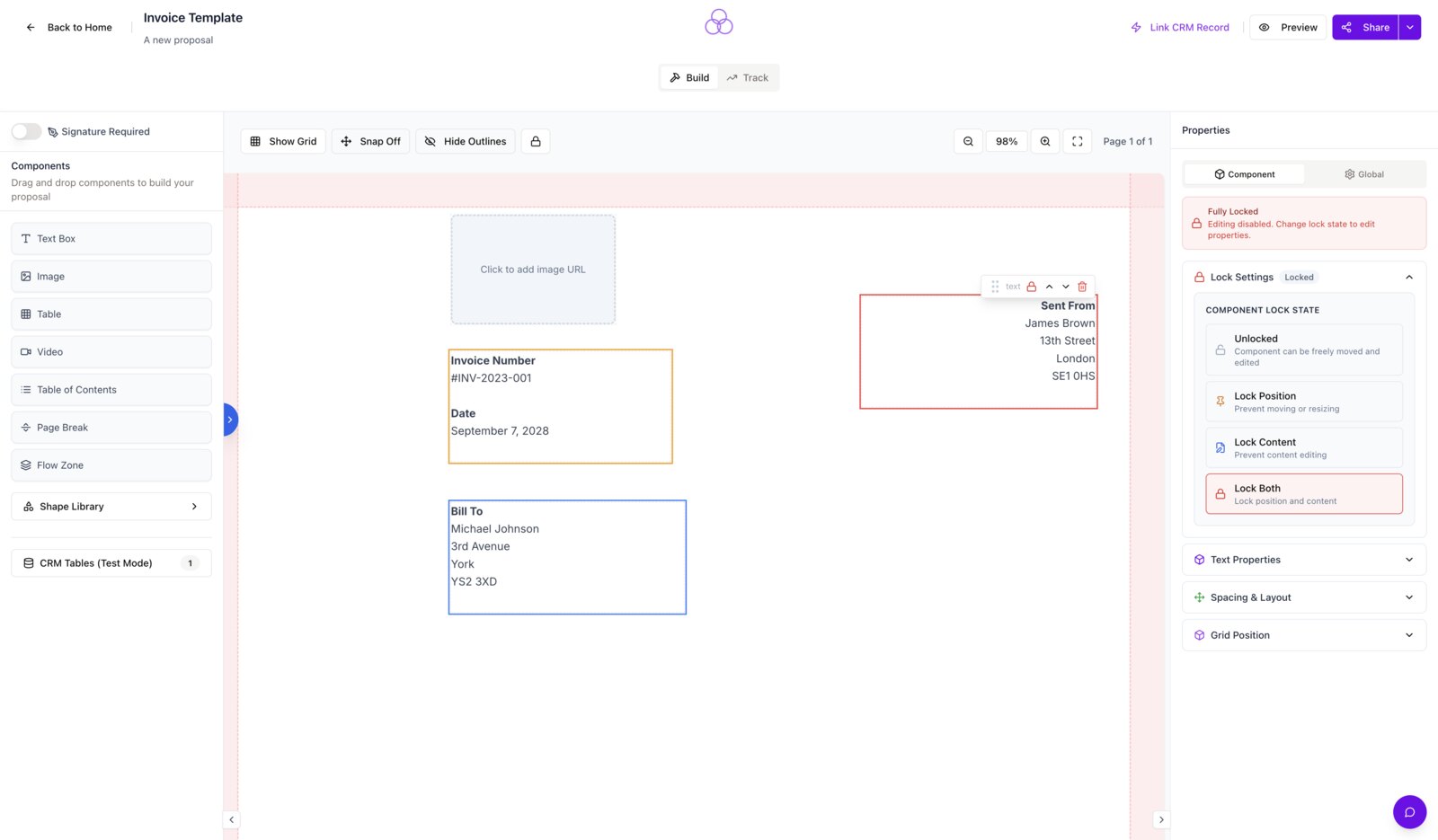
Lock the bits that matter, unlock the bits that don’t
Pricing tables, legal copy and signer fields can be locked at the template level so reps can customise messaging without breaking the contract.
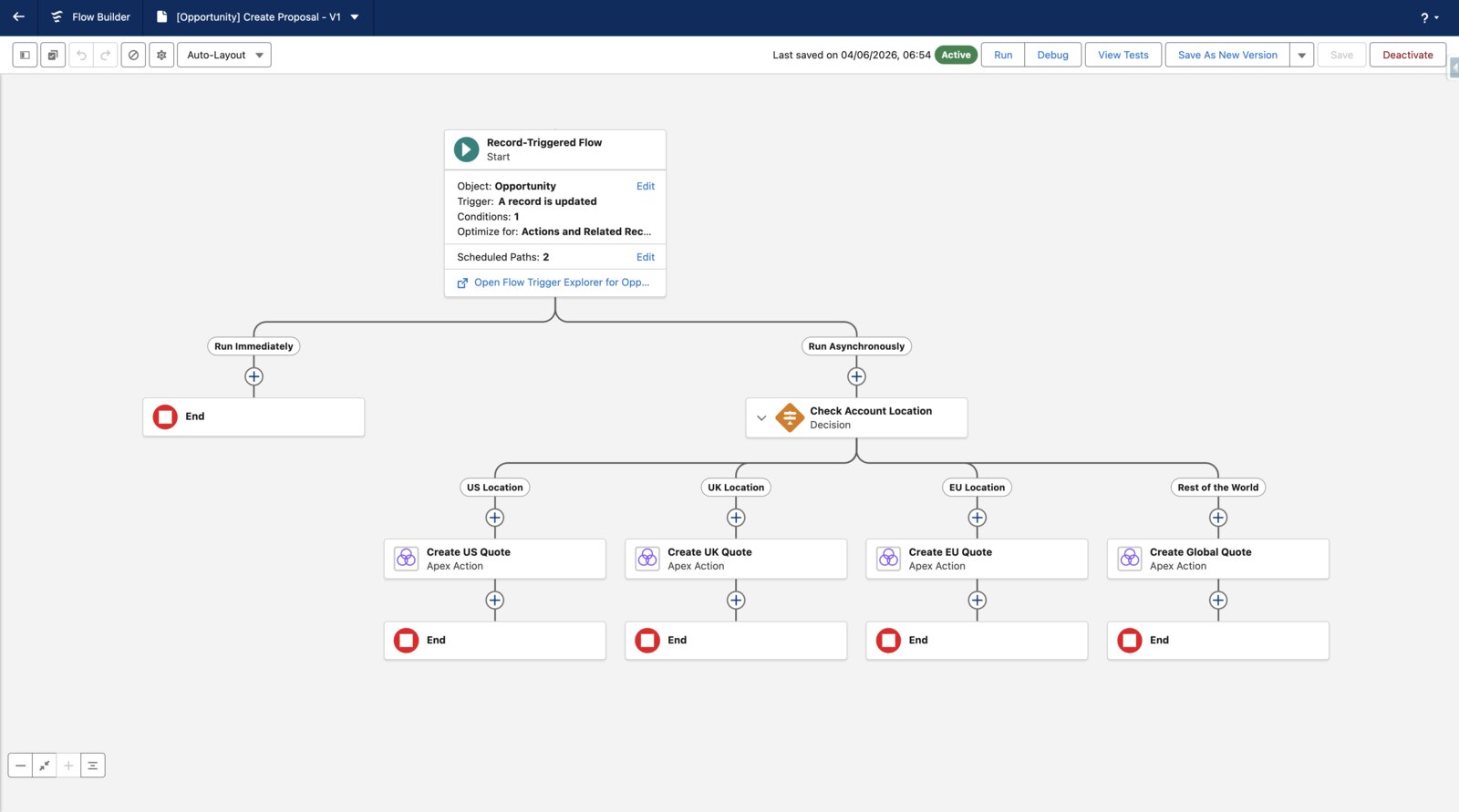
Use Flow to Generate Proposals
Use the standard Flow trigger to spin up documents, onboarding tasks or push to your data warehouse and notify CS — without writing a line of Apex.
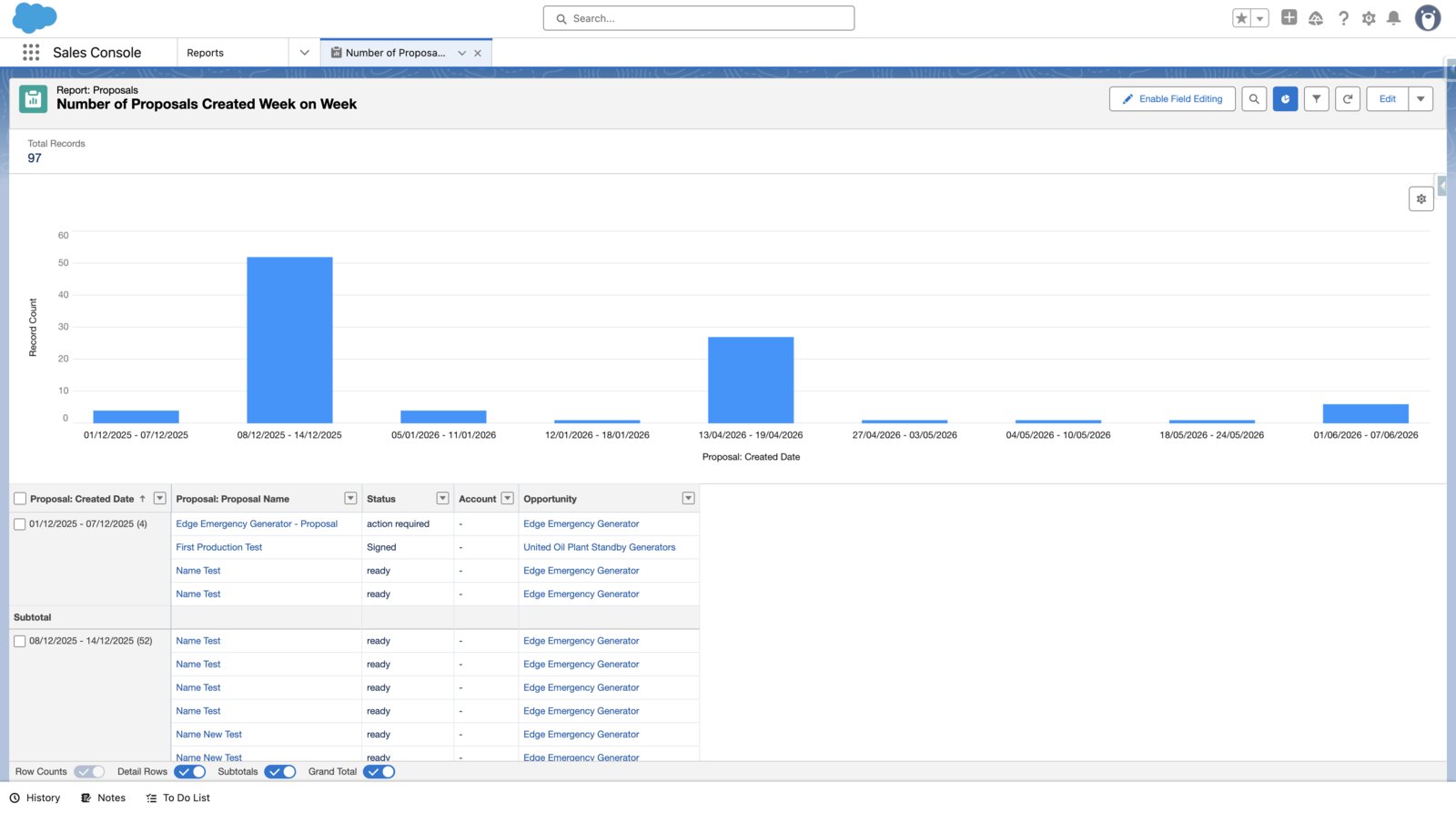
All the metrics, queryable in Salesforce
Time-to-sign, view counts, recipient engagement and signer status all land on Salesforce objects you can report on natively.
Frequently asked questions.
Can we enforce approval before a rep sends?
Yes. Configurable approval workflows can require sign-off on discounts, non-standard terms or specific clauses before a proposal can be sent to a customer.
Is SalesSign queryable in Salesforce reports?
Yes. Signing status, time-to-sign, recipient engagement and signed PDFs all live on standard Salesforce objects.
Does SalesSign support Flow?
Yes. Every status change fires a platform event that any Flow can subscribe to — no Apex required.
Can we restrict templates by team or role?
Yes. Templates and content blocks can be scoped to specific roles, business units or record types.
Ready to see SalesSign for revenue operations?
Book a 20-minute live demo on a use case that matches how your team sells today. Native, embedded, end-to-end.