

Proposals, quotes and signatures — all from the Opportunity.
Document generation for sales teams, native to Salesforce. SalesSign turns Salesforce into your sending platform. AEs build a proposal in minutes from merge-fielded templates, route it for parallel or sequential signing, and watch engagement come back into the Opportunity in real time.
For AEs, SDRs and sales leaders closing on Salesforce.
Why teams choose SalesSign for document generation for sales teams.
Reps stay inside Salesforce
Build, send and track from the Opportunity — no tab-hopping, no copy-paste, no broken merge fields.
Faster signing cycles
Multi-recipient parallel and sequential routing, automatic reminders and a mobile-first signing UX shorten the time from sent to signed.
Forecast with confidence
Page-level engagement, viewer scoring and session replay surface which deals are real — so managers know exactly where to push.
What you get for sales teams.
Everything you need to send, sign and track — included on every plan.
Send from the Opportunity
A single button on every Opportunity lets reps create, customise and send a SalesSign proposal in seconds.
Templates with merge fields
Reusable templates pull from any standard or custom Salesforce field, including line items and related objects.
Real-time engagement
Know the moment a buyer opens a proposal, scrolls past the price page or watches the demo video.
Automated reminders
Configurable nudges to unsigned recipients keep deals moving without the rep having to chase.
A closer look at SalesSign for sales teams.
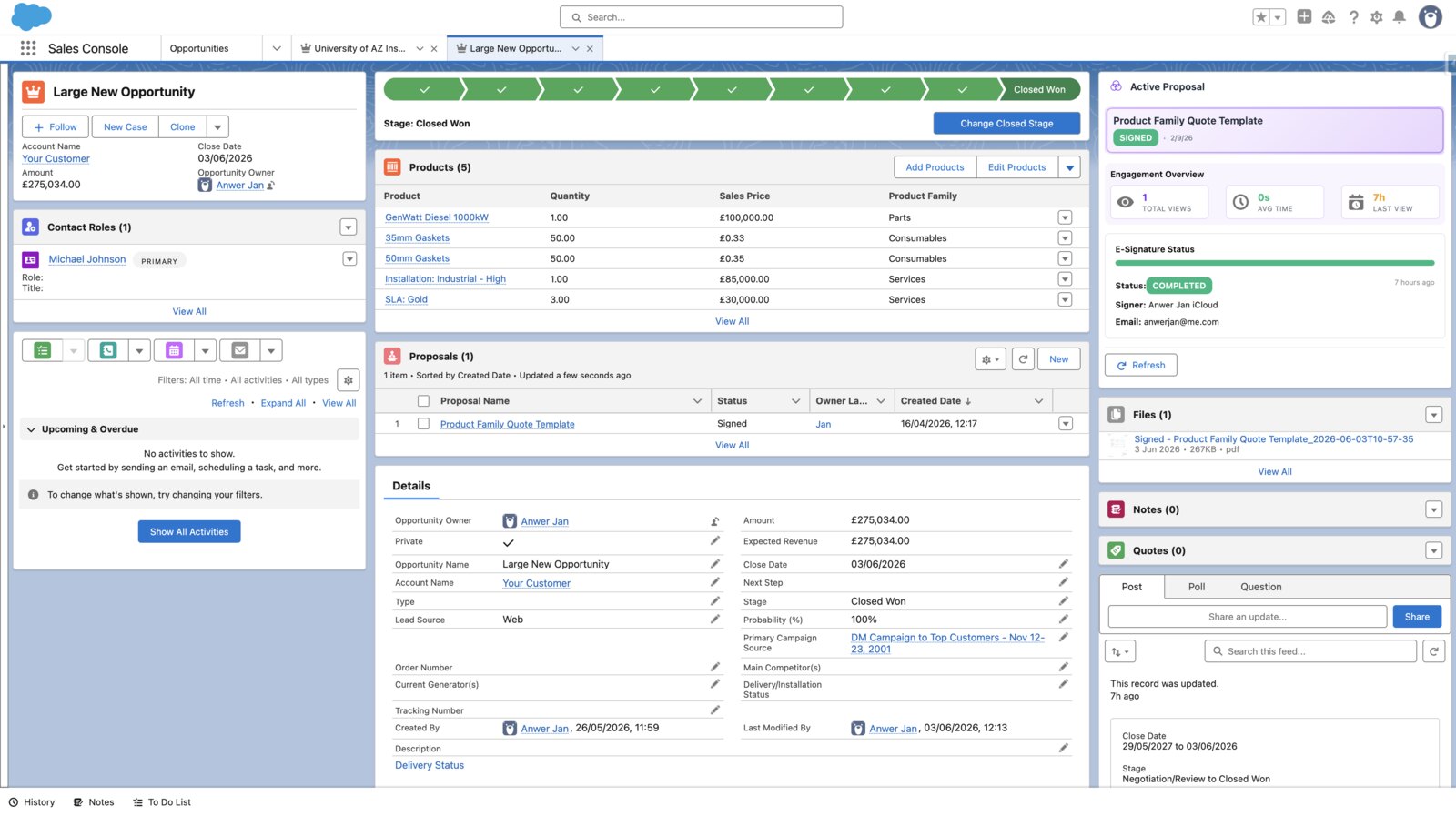
From Opportunity to signed in a single afternoon
Build from a template, drop in line items from Salesforce, send for parallel signing and the signed PDF is pushed back to the Opportunity — all without leaving the record.
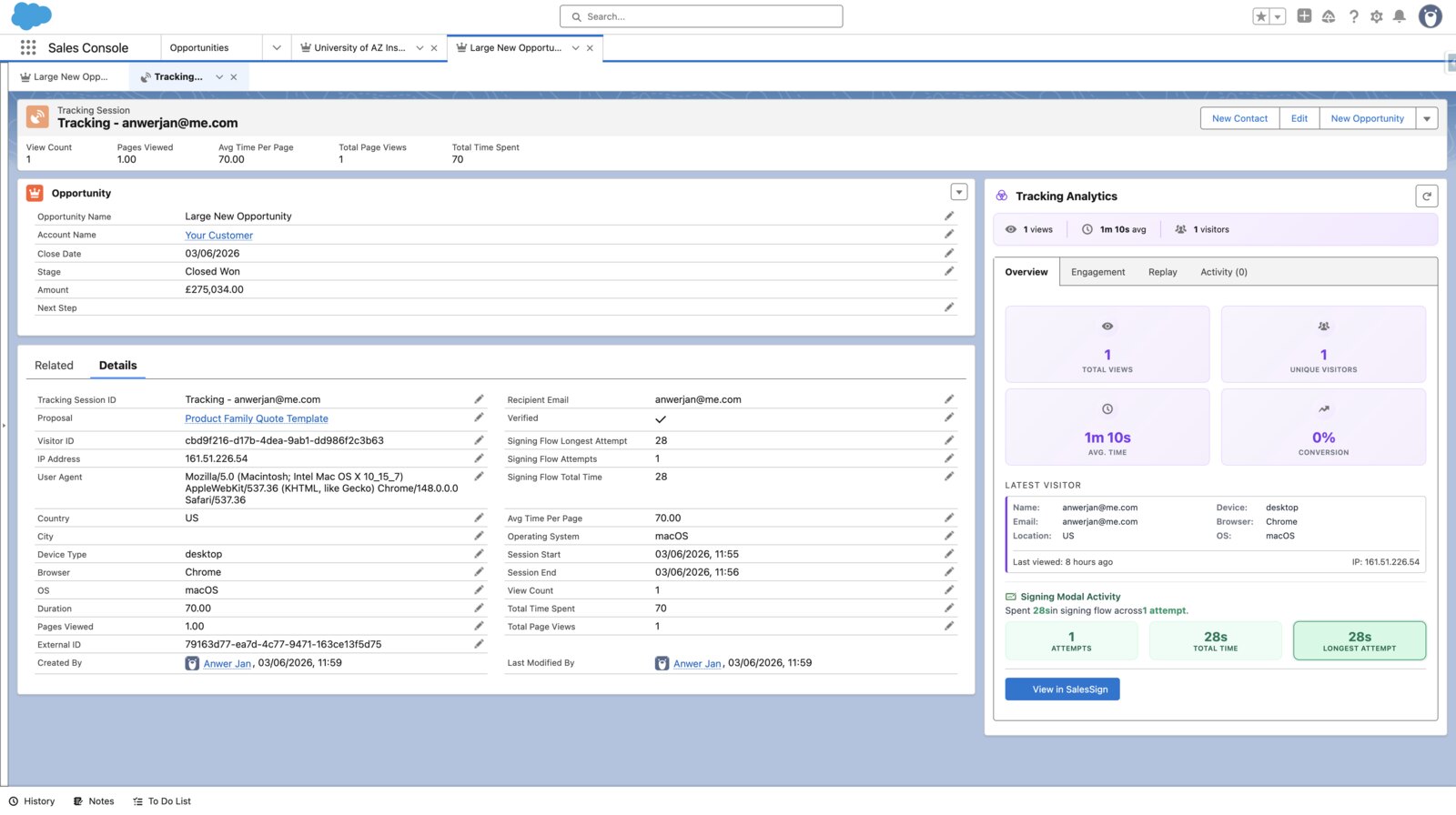
Know which deals are actually engaged
SalesSign tracks every viewer, every page, every signing modal interaction. Reps and managers see engagement directly on the Opportunity so coaching and forecasting are based on real signal.
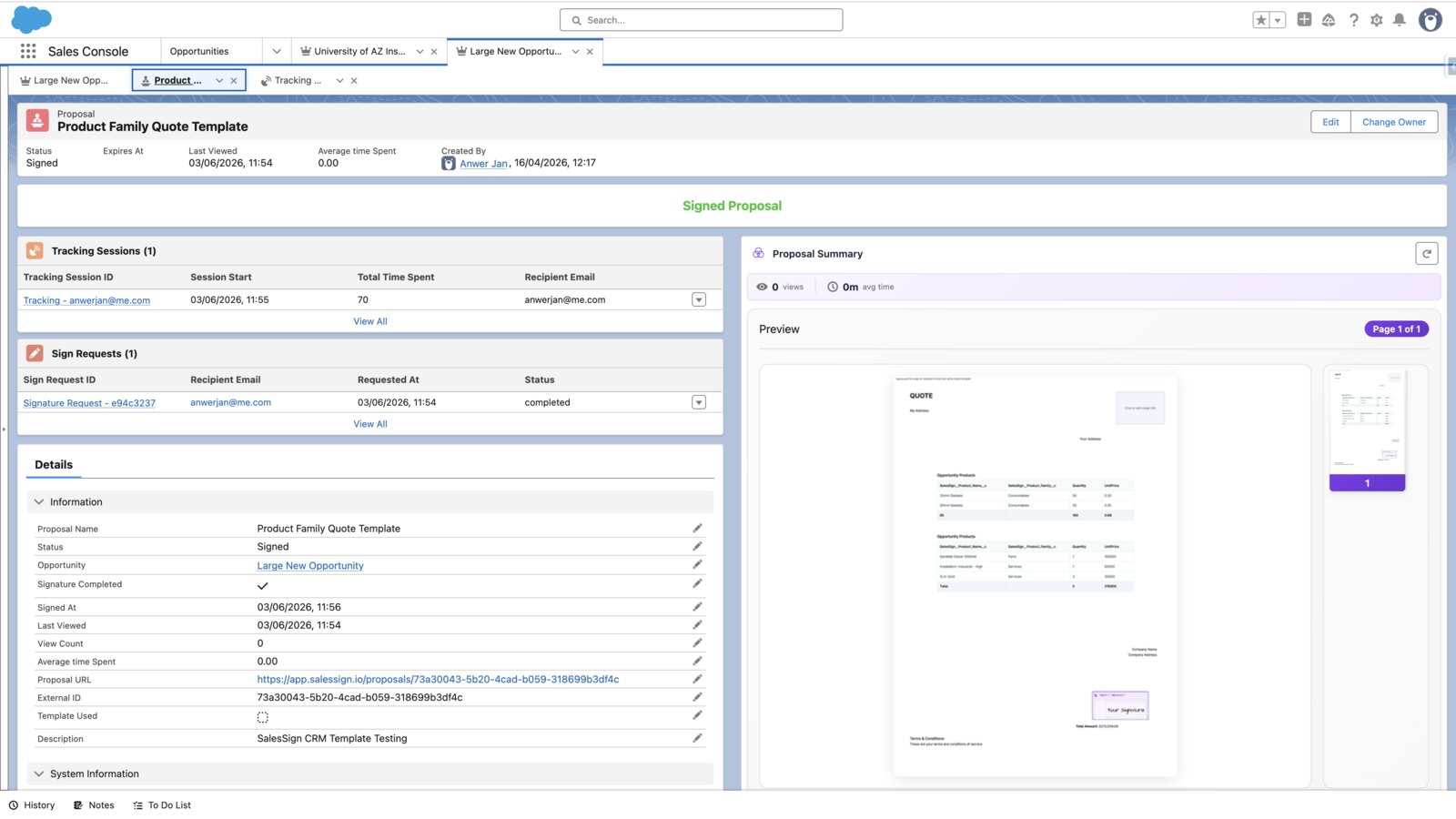
Reps actually use it
A modern, fast builder and mobile-optimised signing UX mean reps don’t resist the tool — and CFOs don’t pay for shelfware.
Frequently asked questions.
Do reps need to learn a new tool?
No. SalesSign lives inside Salesforce as a Lightning Web Component. If a rep can open an Opportunity, they can send a SalesSign proposal.
Does SalesSign support multi-recipient signing?
Yes. Both parallel (everyone signs at once) and sequential (signing order enforced) routing are supported, with automated reminders.
Will signed PDFs sync back to the Opportunity?
Yes. The signed PDF is automatically attached to the Opportunity, and signing events fire Flow so you can automate handoffs to onboarding.
Can we restrict who can edit templates?
Yes. Role-based permissions let sales ops own templates while reps only customise approved sections.
Ready to see SalesSign for sales teams?
Book a 20-minute live demo on a use case that matches how your team sells today. Native, embedded, end-to-end.