

A modern PDF Butler alternative for proposals & eSignatures
Looking for a PDF Butler alternative for Salesforce? PDF Butler is a powerful Salesforce document tool. SalesSign delivers Salesforce-native generation with a much more modern builder, engagement analytics and a first-class eSignature flow.
Salesforce-native PDFs — without a modern UX or eSignature workflow.
Why teams choose SalesSign over PDF Butler.
A modern builder, not a template engine
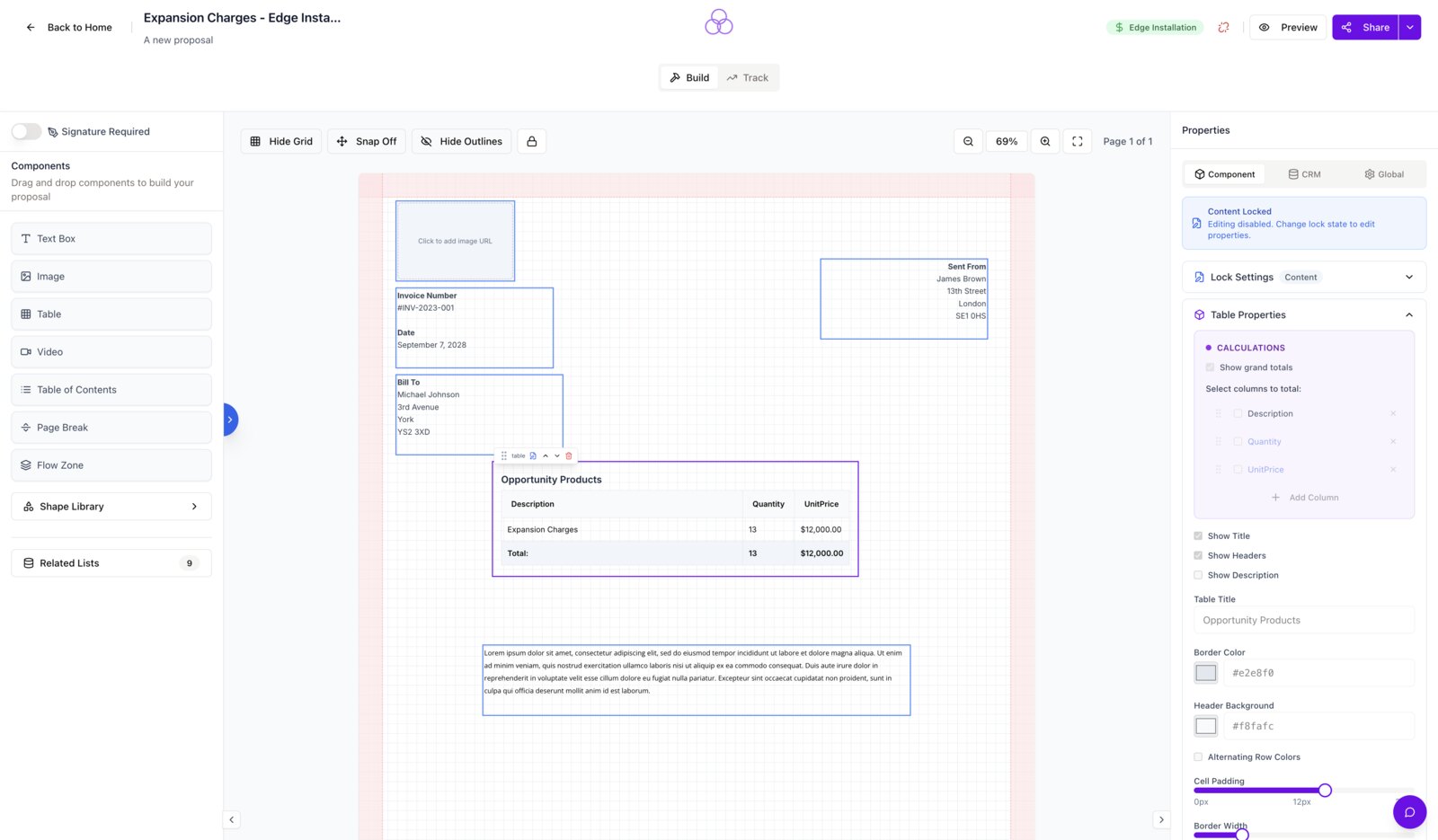
Drag-and-drop layouts and live previews replace fiddly Word/HTML template authoring.
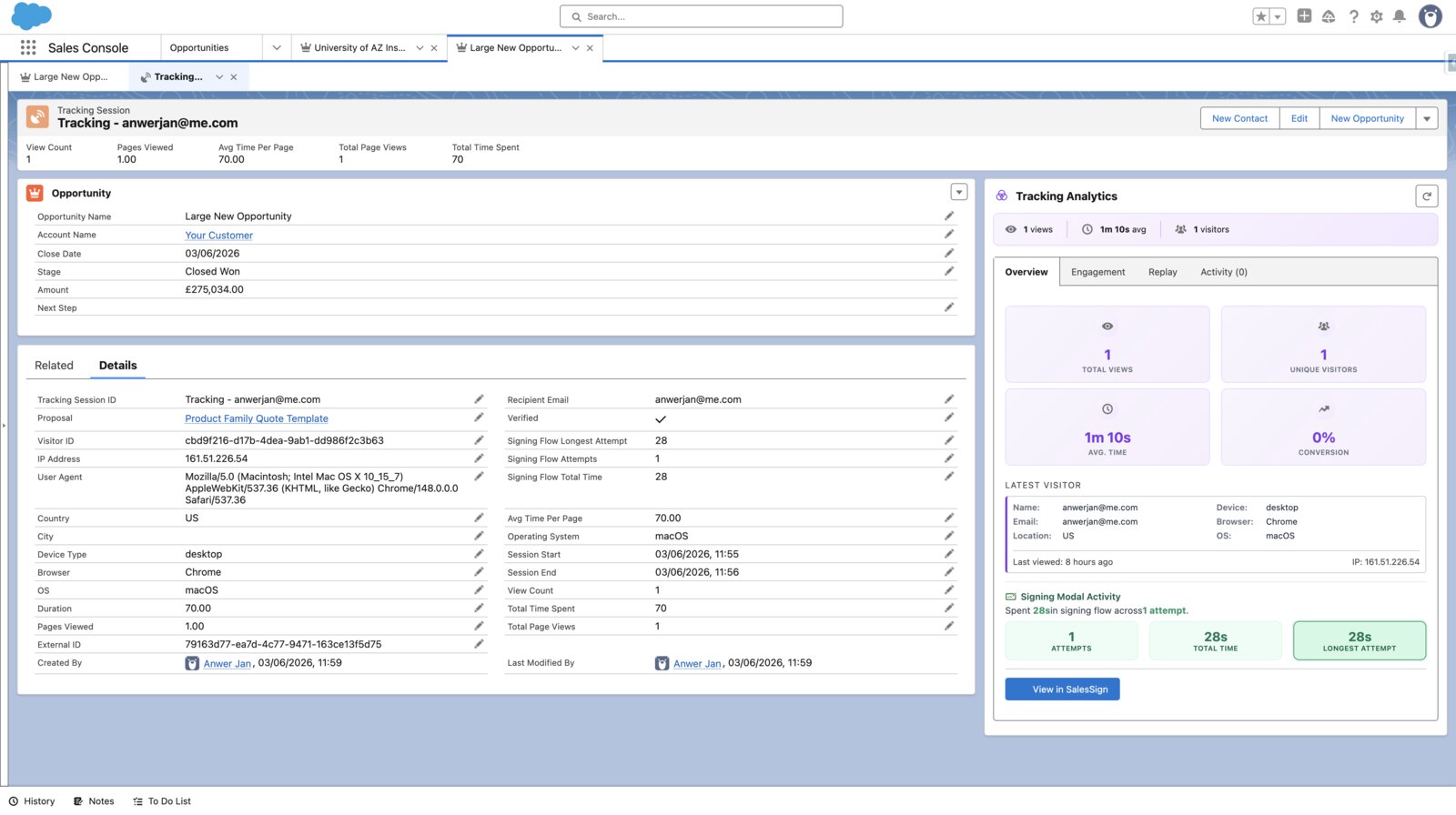
Built-in eSignatures & analytics
No need to bolt on a separate eSignature product or analytics tool.
Same Salesforce-native power
Pull merge fields from any object, push signed PDFs back to the Opportunity, trigger Flows on signature events.
SalesSign vs PDF Butler: side by side.
A direct look at the capabilities that matter most to revenue teams.
Comparison reflects SalesSign’s reading of publicly available information at the time of writing. Always check the latest with the vendor.
A closer look at the PDF Butler alternative for Salesforce.
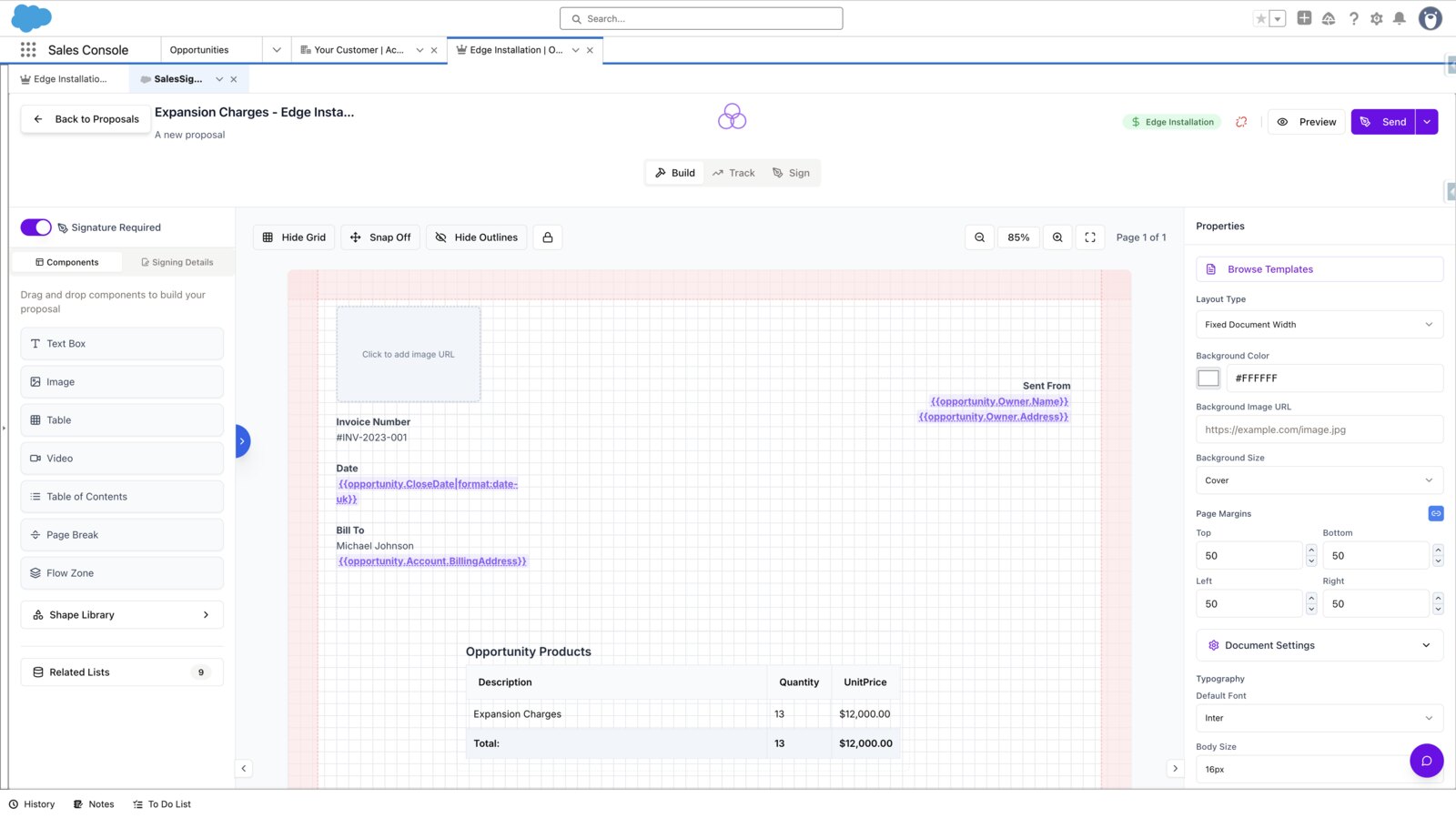
A proposal builder reps will actually use
PDF Butler templates are powerful but technical. SalesSign gives reps a modern, drag-and-drop builder with live previews — no admin required.
Native signing, no add-on
Multi-recipient routing, parallel or sequential signing and an audit trail are all included.
Salesforce-native by design
Same data model, same ease of merging — with an experience that feels like 2025.
Frequently asked questions.
Can SalesSign do everything PDF Butler does?
For sales-side proposal & signature flows, yes. PDF Butler’s deeper template engine still shines for purely technical document automation.
Is SalesSign a managed package in Salesforce?
SalesSign installs as a Canvas app inside Salesforce, with merge field and Opportunity sync built in.
Can we keep using PDF Butler for back-office documents?
Yes — SalesSign and PDF Butler can coexist.
How is pricing structured?
Per user, with eSignatures, analytics and Salesforce sync included.
Ready to switch from PDF Butler?
Book a 20-minute live demo on a use case that matches how your team sells today. Native, embedded, end-to-end.