

NDAs out the door in 60 seconds.
Salesforce NDA generation in about 60 seconds. SalesSign turns NDA-sending from a Friday afternoon job into a 60-second click. Approved templates, merge-fielded counterparty details from Salesforce, mobile-optimised signing, and the signed PDF back on the Account automatically.
For sending non-disclosure agreements at sales-deal speed.
Why teams choose SalesSign for Salesforce NDA generation.
Approved by legal once
Legal approves the NDA template once. Sales sends from it forever — no clause drift, no “just this once” edits.
Buyer signs on their phone
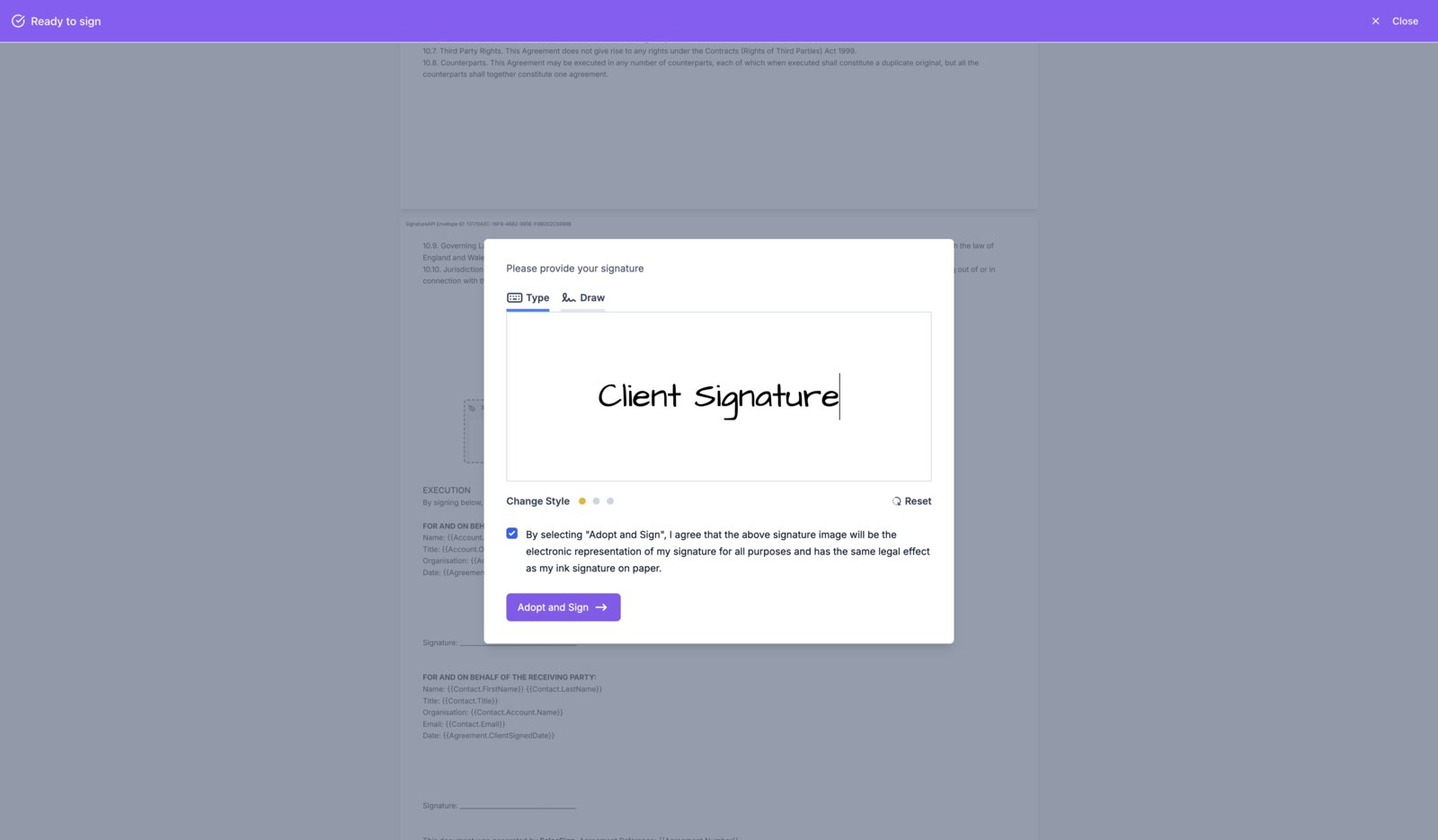
Mobile-optimised signing means the counterparty can sign on the train, between meetings, while the deal is still hot.
Synced to Salesforce
Signed NDAs land on the Account with a full audit trail — CS, legal and CRM can all see exactly what was signed and when.
What you get for ndas.
Everything you need to send, sign and track — included on every plan.
NDA templates
Pre-built mutual and one-way NDA templates that legal can approve once and sales can send from forever.
Merge-fielded counterparty
Counterparty name, registered address and signatory details merge automatically from the Salesforce Account or Contact.
Mobile signing
Counterparties can sign on phone or tablet with a touch-optimised flow — no awkward PDF stamps.
Synced to Account
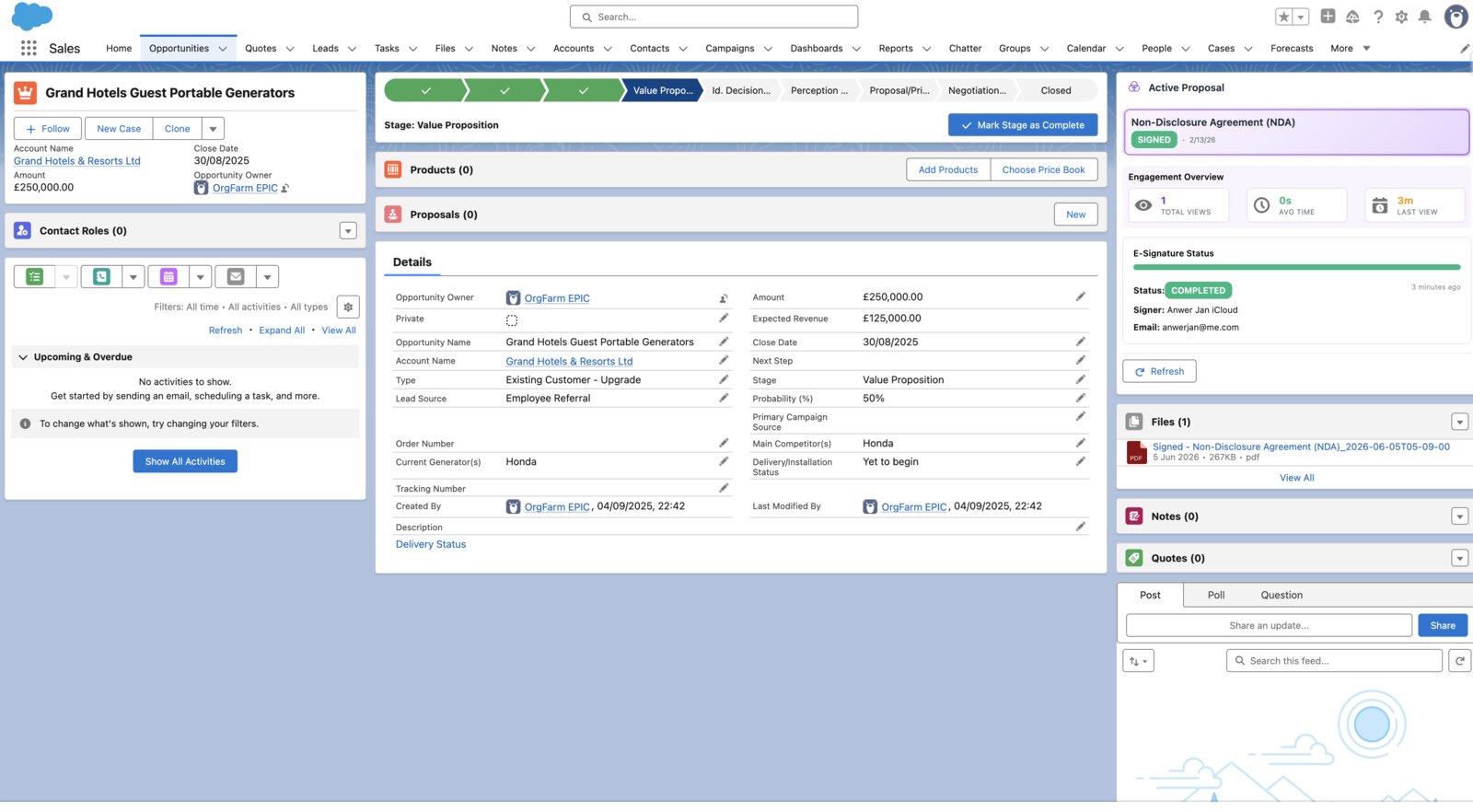
Signed NDA is stored on the Account and the signing event fires Flow for downstream automation.
A closer look at SalesSign for ndas.
Friday afternoon NDA, signed by Monday morning
Pick the template, confirm the counterparty pulled from Salesforce, hit send. The counterparty signs on their phone over the weekend and the signed NDA is on the Account by Monday.
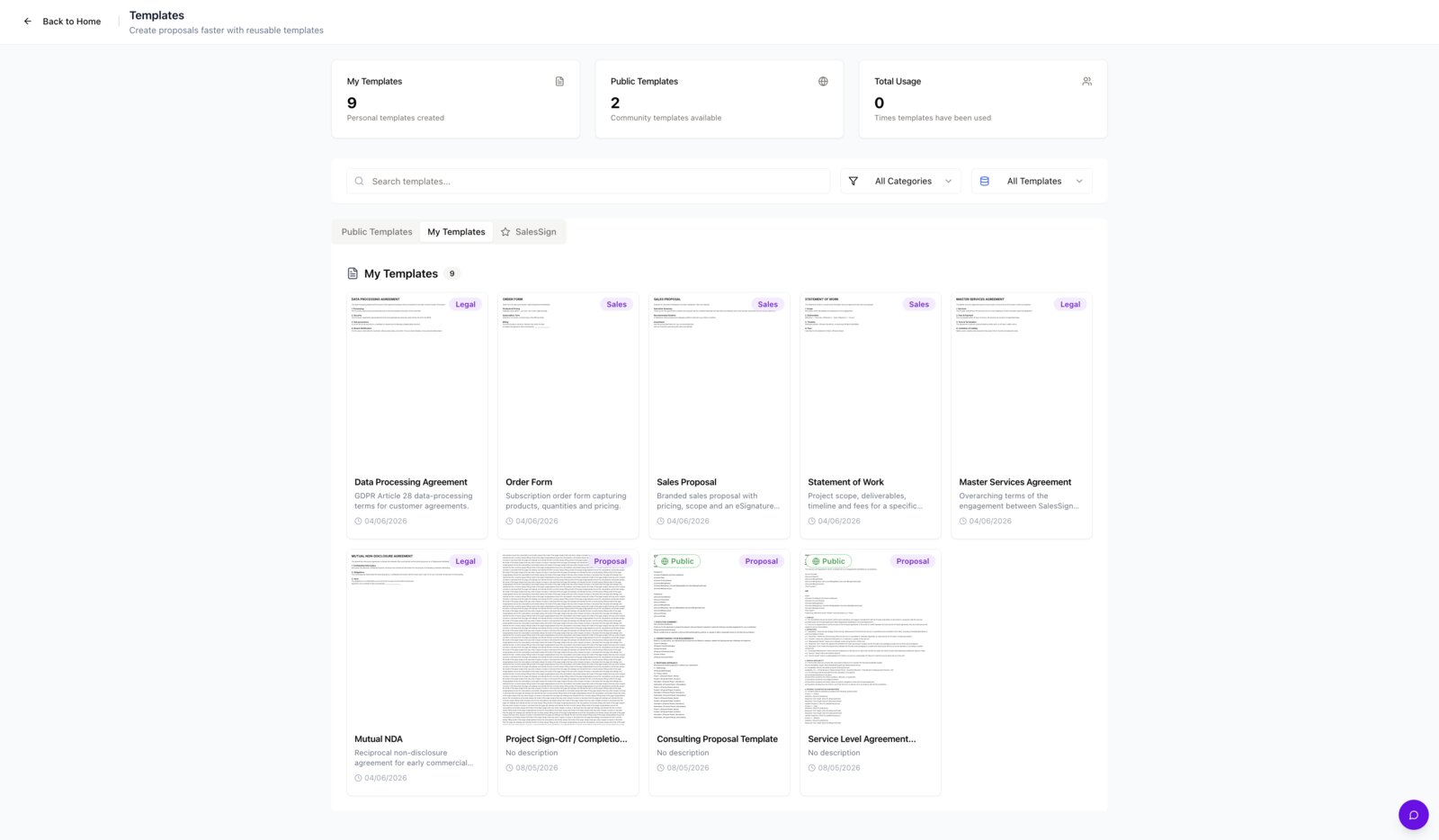
No accidental clause edits
Locked clauses mean reps can’t accidentally change the confidentiality or term provisions. Legal’s template is the NDA.
Anyone can see what was signed
Signed NDAs live on the Account so CS, legal and finance can verify in seconds without an email thread.
Frequently asked questions.
Can we use our own NDA template?
Yes. Upload your existing NDA, mark the signature and date fields, and reps can send it from any Salesforce Account.
Are SalesSign NDAs legally binding?
Yes. Signatures are ESIGN/UETA compliant in the US and eIDAS-compatible in the EU/UK.
Can we track unsigned NDAs?
Yes. The Salesforce Account shows pending and signed NDAs, with automated reminders for unsigned recipients.
Does the NDA timestamp survive an audit?
Yes. Every signature is captured with IP, timestamp, identity verification and a tamper-evident audit trail.
Ready to see SalesSign for ndas?
Book a 20-minute live demo on a use case that matches how your team sells today. Native, embedded, end-to-end.