

Sales proposals your buyers actually want to read.
Salesforce proposal generation, native to the CRM. SalesSign combines a modern drag-and-drop builder, merge-fielded Salesforce data, pricing tables, multi-recipient eSignatures and engagement analytics into a single Salesforce-native platform.
The core SalesSign use case — proposals that get read and signed.
Why teams choose SalesSign for Salesforce proposal generation.
Modern builder, not a 2010 PDF tool
Drag-and-drop layouts, responsive design, video embeds, interactive pricing tables and live merge fields — built for how buyers consume content today.
Salesforce-native data
Every proposal pulls live data from the Opportunity, Account, Quote or any custom object. No copy-paste, no broken merge fields.
See what works
Page-level engagement tells you which proposals close and which don’t — so your templates only get better.
What you get for sales proposals.
Everything you need to send, sign and track — included on every plan.
Drag-and-drop builder
Build complex proposals in minutes with a modern, fast editor designed for sales reps, not designers.
Interactive pricing tables
Buyers can choose options, swap quantities and see totals update in real time — with the signed version captured exactly as accepted.
Merge from any object
Live data from Opportunities, Accounts, Quotes, Products and custom objects — including related lists.
Engagement analytics
See which pages got read, which got skipped and which buyers spent the longest on pricing.
Multi-recipient signing
Parallel or sequential signing for the whole buying committee, with automated reminders.
Brand control
Locked colours, fonts, logos and headers ensure every proposal is on-brand without manual policing.
A closer look at SalesSign for sales proposals.
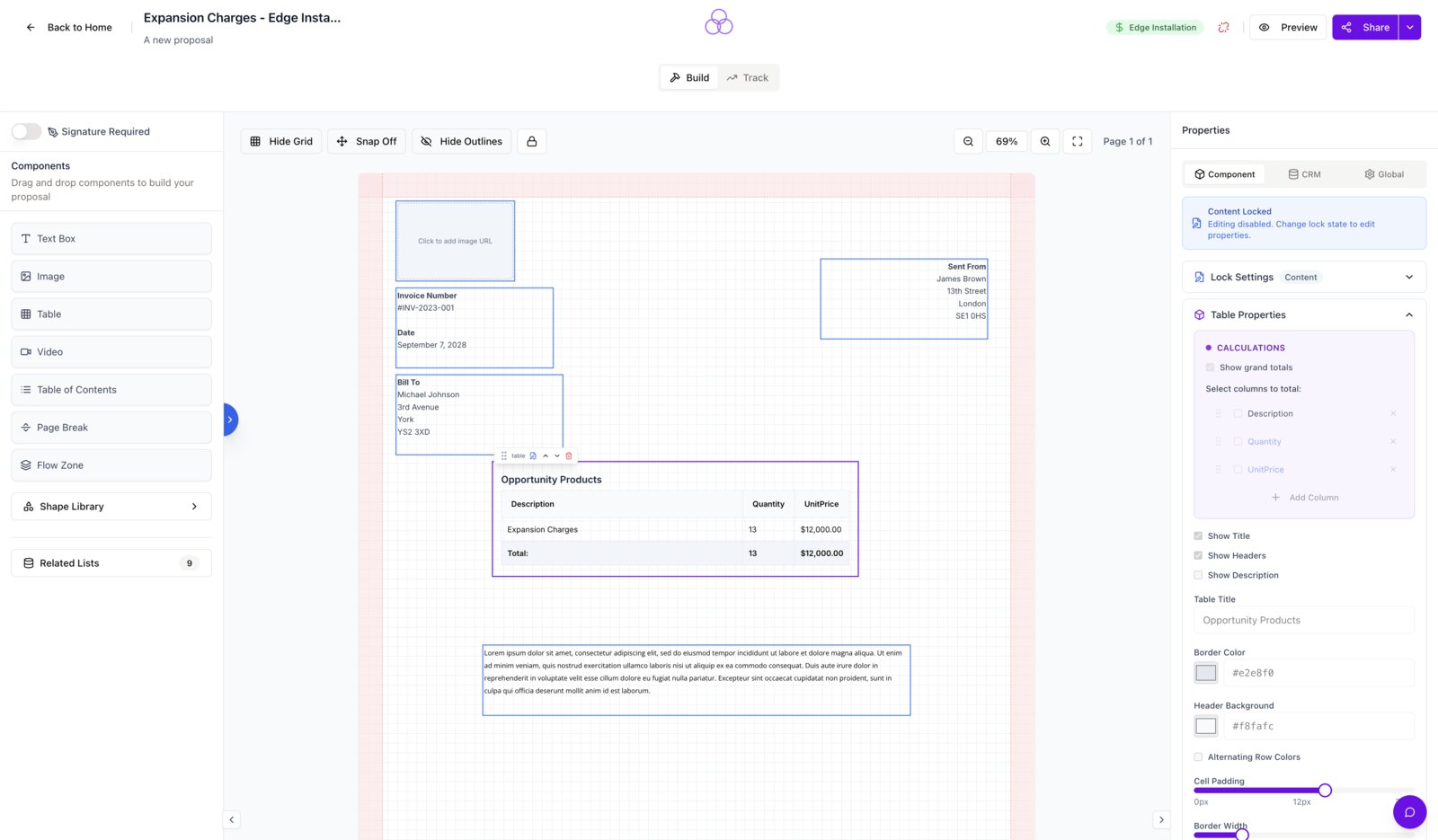
A builder that doesn’t fight your reps
Drag, drop, type. The SalesSign editor is fast, responsive and designed around the way reps actually work — no design tickets, no PDF round-trips.
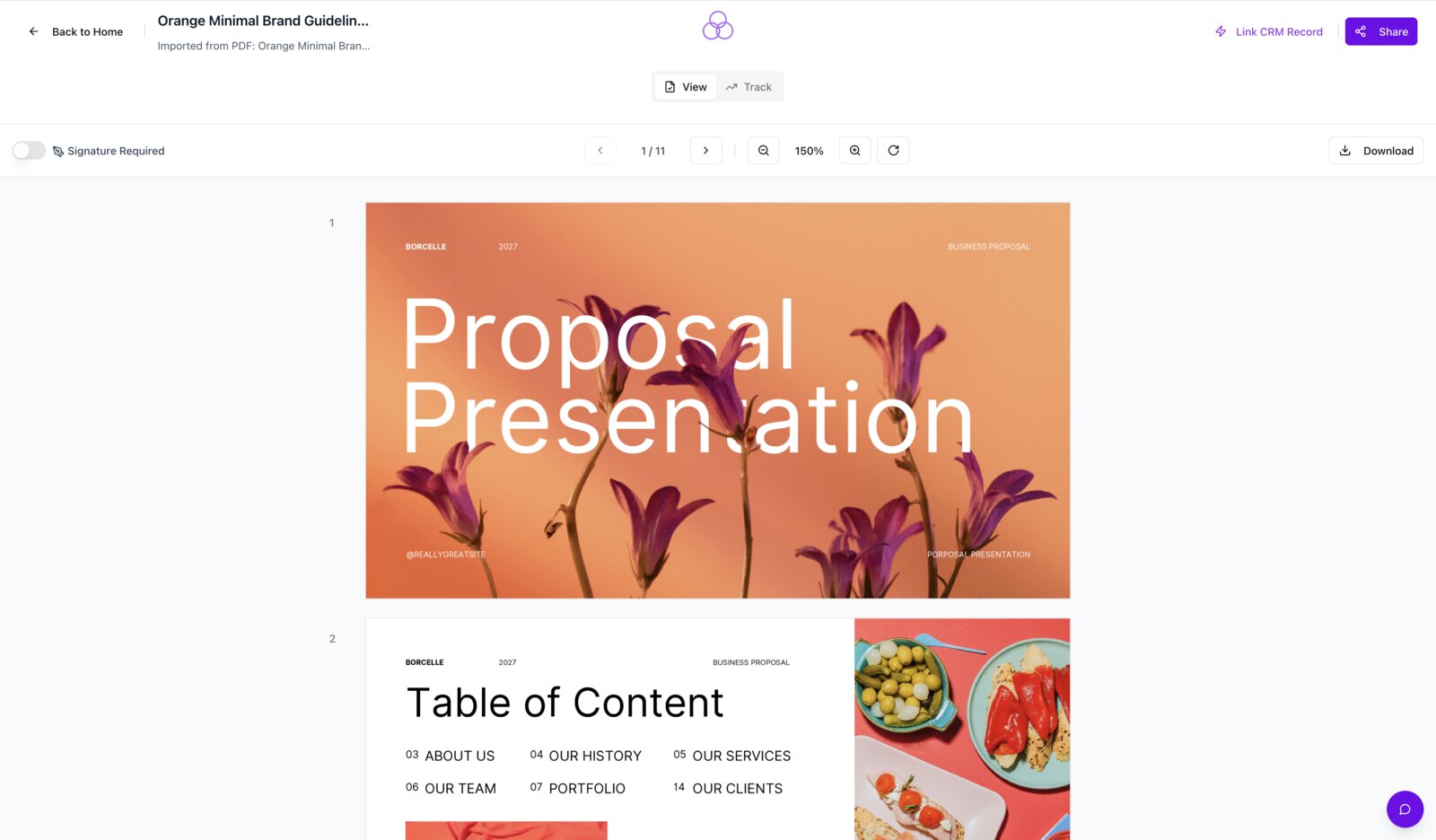
Proposals that actually convert
Interactive pricing tables, embedded videos and on-brand layouts give your buyer everything they need to say yes — in their own browser, on their own time.
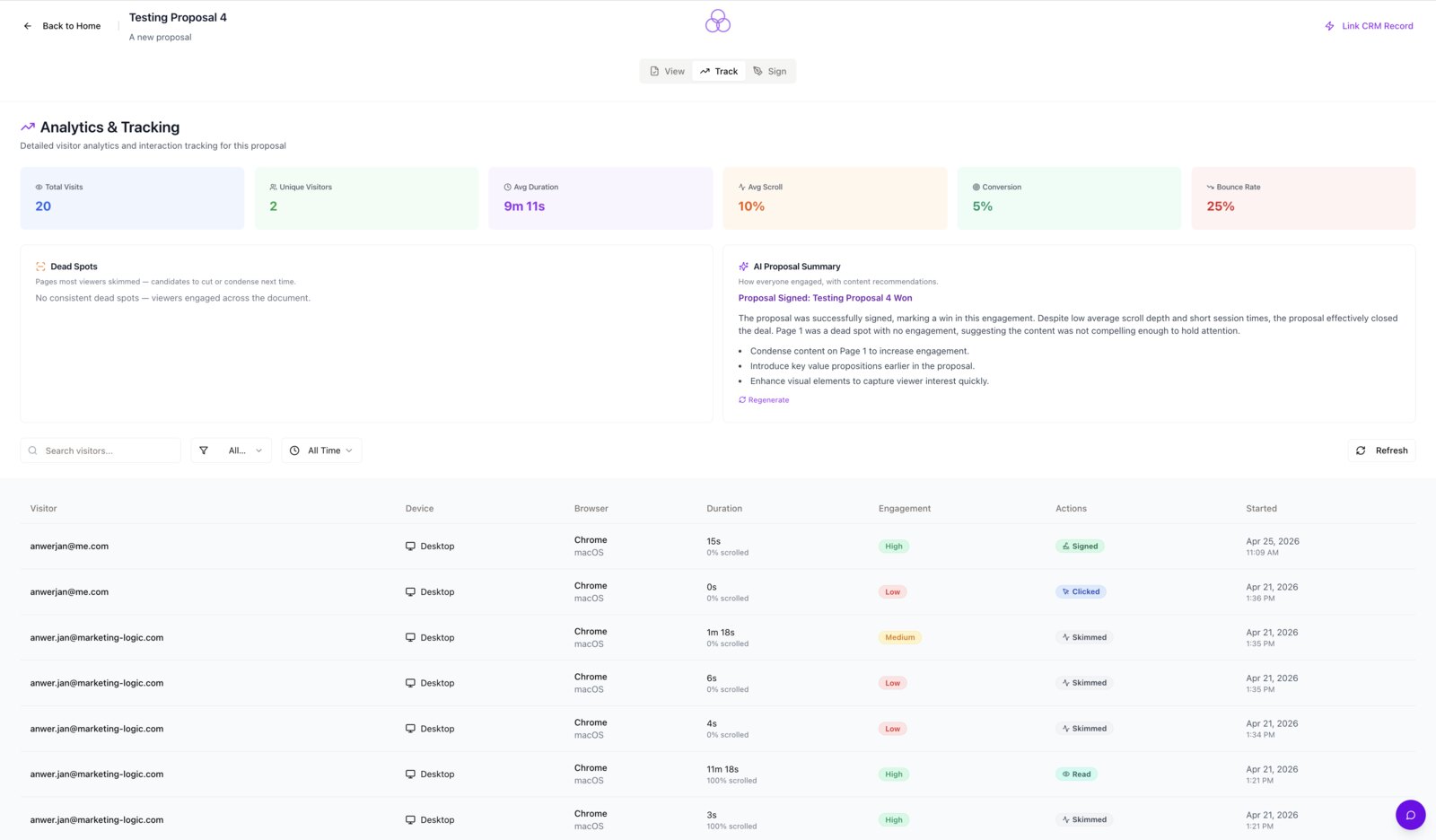
Find the slides that close deals
Engagement analytics show which sections buyers read and re-read, and which they skip. Use the data to iterate on templates that close.
Frequently asked questions.
Can we migrate our existing templates?
Yes. Most templates can be re-created quickly in the SalesSign builder, and our onboarding team will help with migration from your current tool.
Do interactive pricing tables capture what was signed?
Yes. The exact accepted configuration is captured on the signed PDF and synced back to Salesforce as line items.
Can we send the same proposal in multiple languages?
Yes. Localised templates and multi-currency support are available.
Are proposals mobile-friendly?
Yes. Proposals are responsive by default and the signing flow is optimised for phone and tablet.
Ready to see SalesSign for sales proposals?
Book a 20-minute live demo on a use case that matches how your team sells today. Native, embedded, end-to-end.